> ## Documentation Index
> Fetch the complete documentation index at: https://docs.inferless.com/llms.txt
> Use this file to discover all available pages before exploring further.
# My Secrets
Secrets Manager is a tool for securely storing and managing sensitive information, including passwords, API keys, and tokens. It is designed to prevent the embedding of secrets in application code or scripts, which poses a security risk if the code is exposed.
1. **Centralized Storage**: Secrets are stored in a centralized location, making it easier to manage and audit access.
2. **Access Control**: Fine-grained access controls allow only authorized applications, services, or users to retrieve certain secrets.
3. **Encryption**: Secrets are encrypted at rest and in transit, ensuring that they cannot be easily intercepted or read by unauthorized entities.
4. **Rotation**: Many Secrets Managers support or enforce the rotation of secrets, allowing credentials to be updated regularly without manual intervention.
Secrets are available at a user level and can be only updated by the one who is doing that particular model import
### How to access
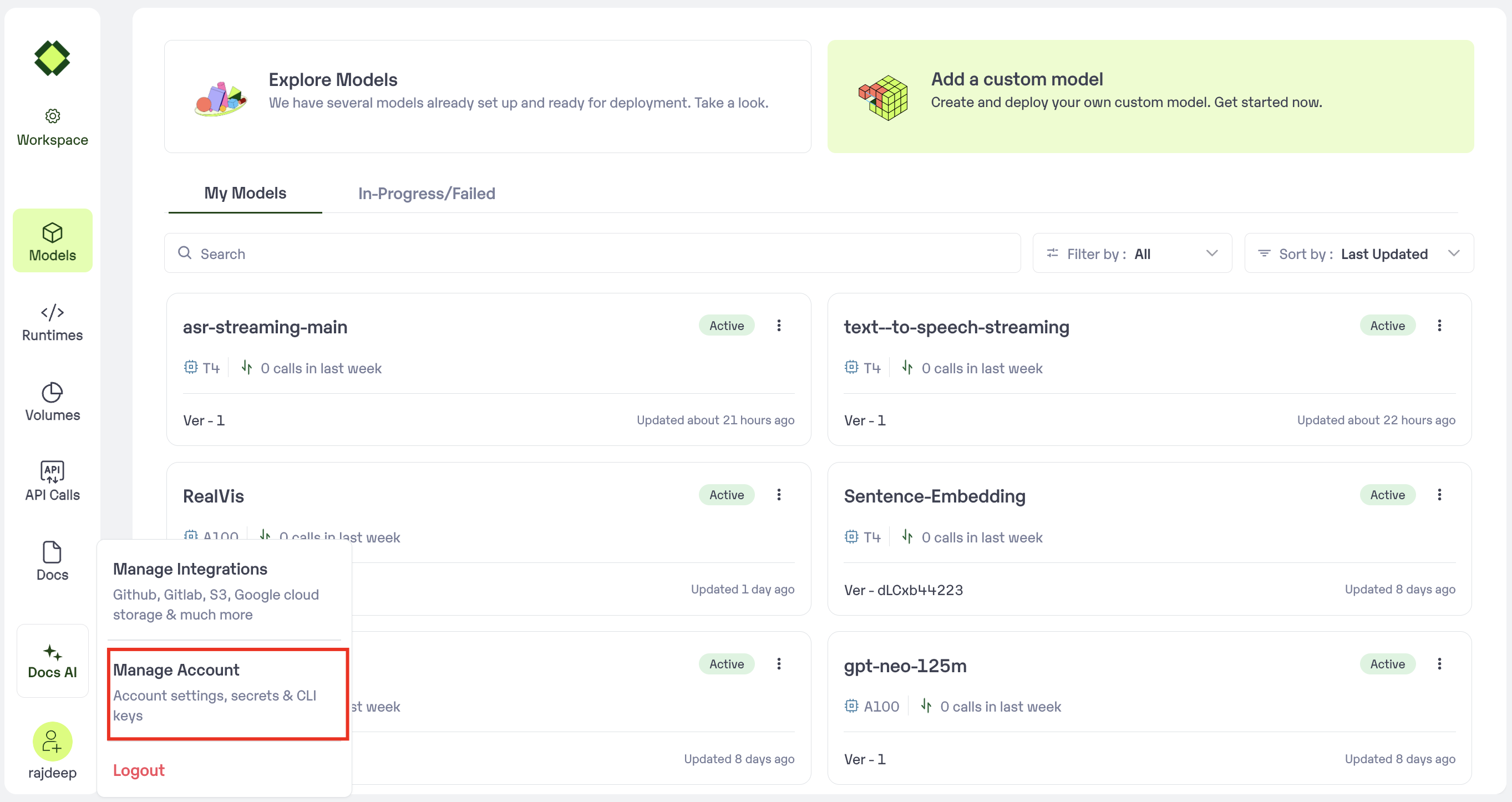
Navigate to profile settings
 Select "Secrets"
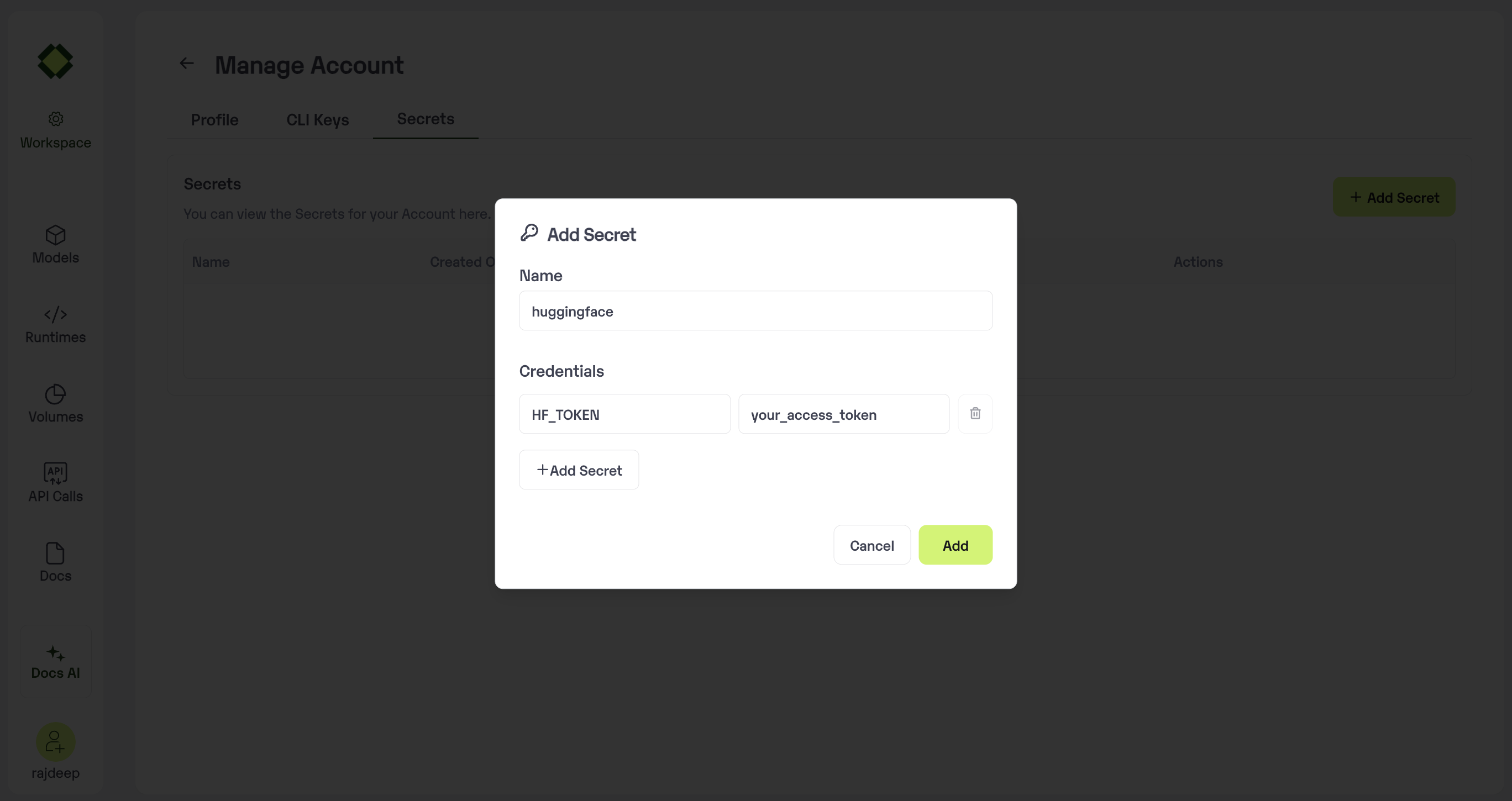
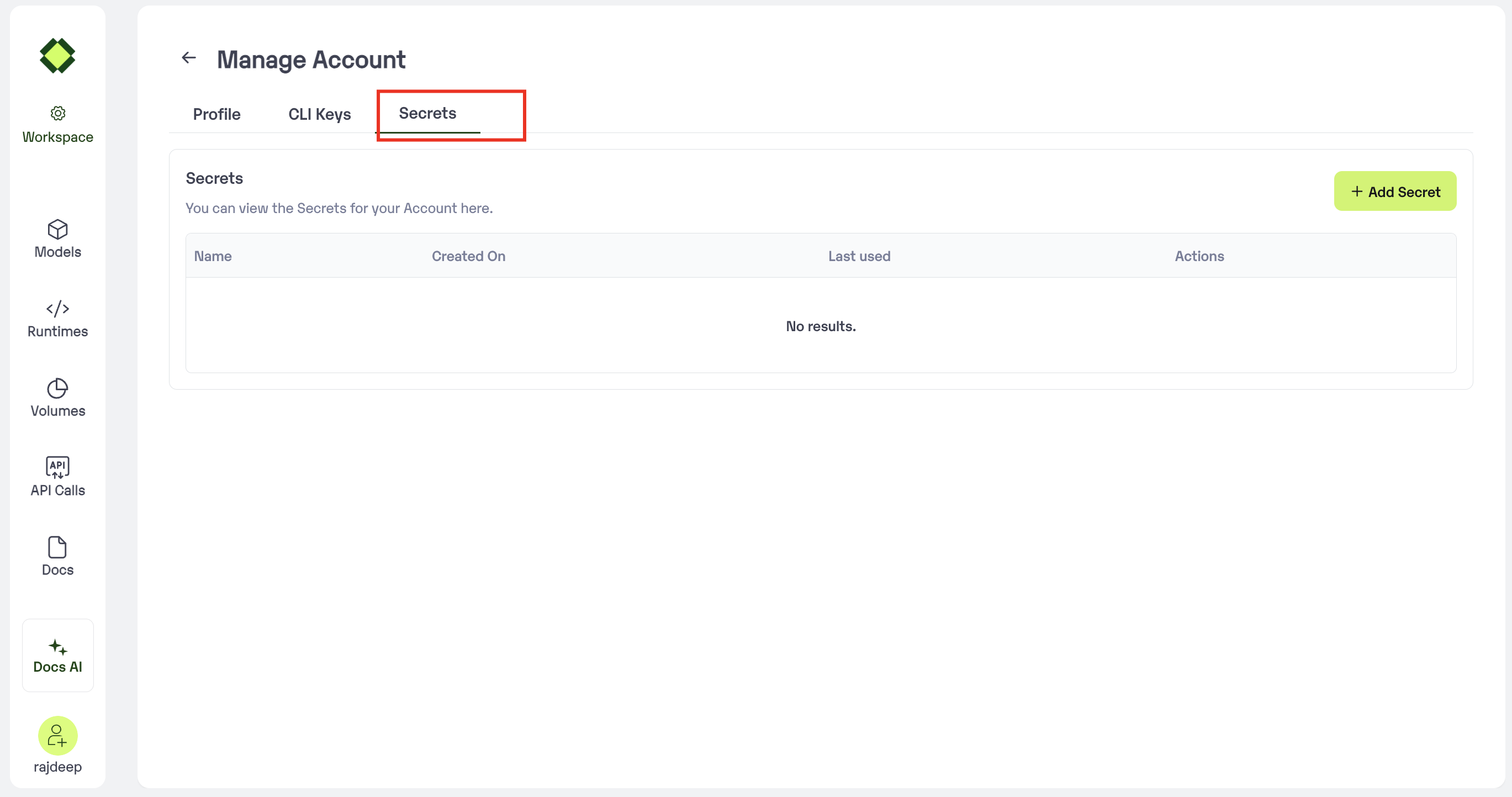 ### Create a secret
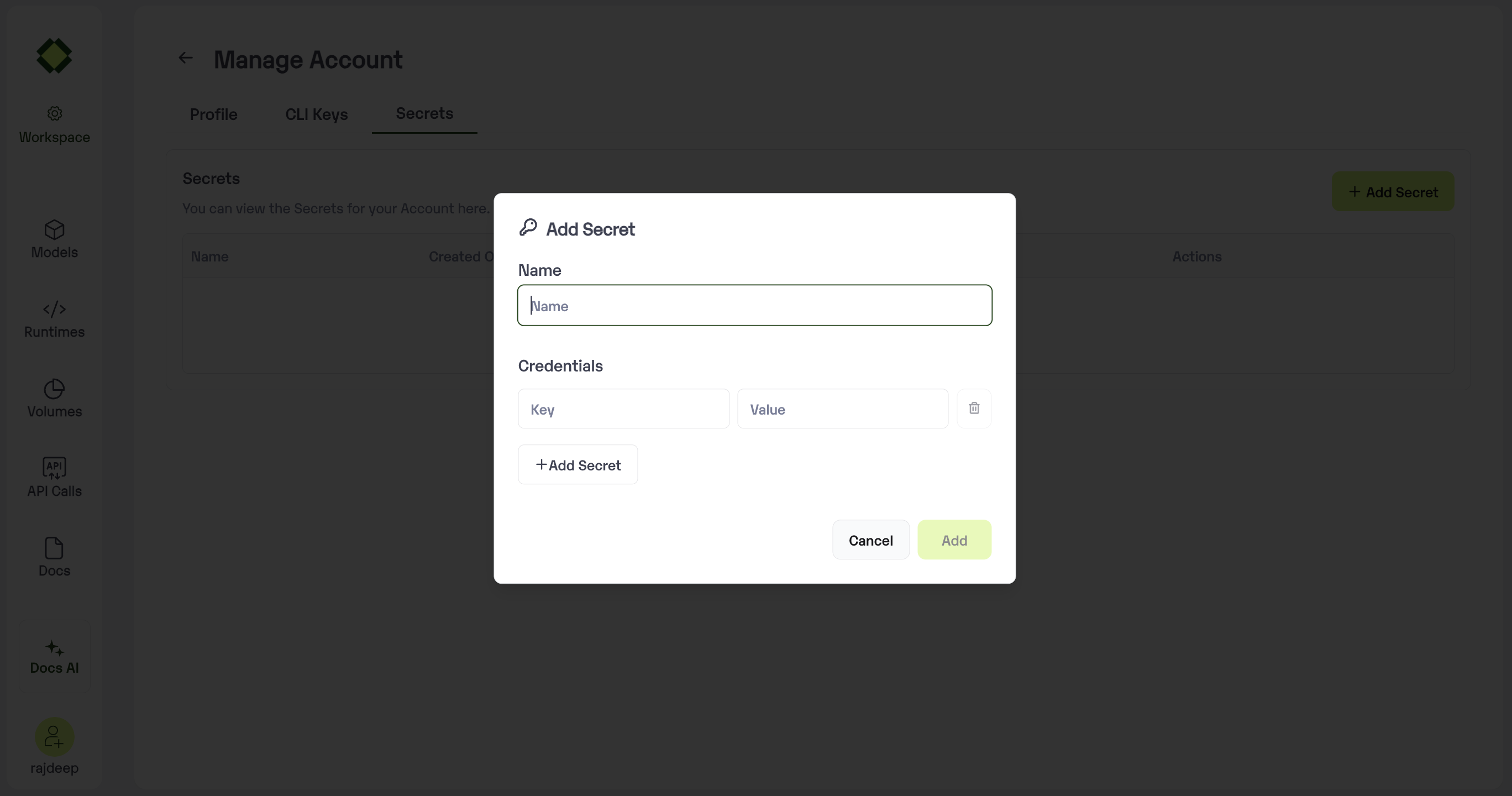 Enter the key and Values
 ### Using Secrets in Model Import
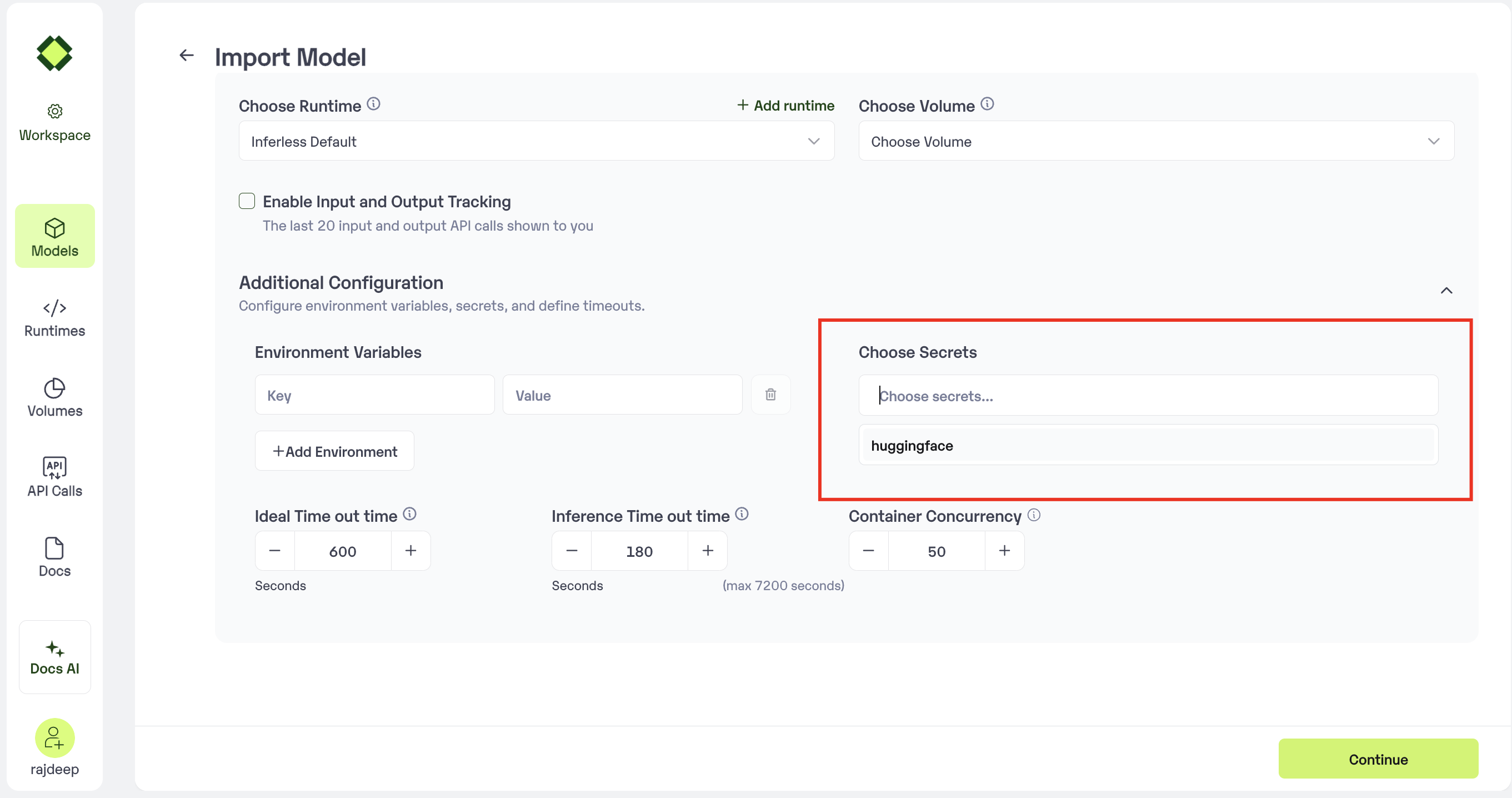
Available in Step 4 of the Advanced Configuration, where all secrets can be viewed and selected.
### Using Secrets in Model Import
Available in Step 4 of the Advanced Configuration, where all secrets can be viewed and selected.
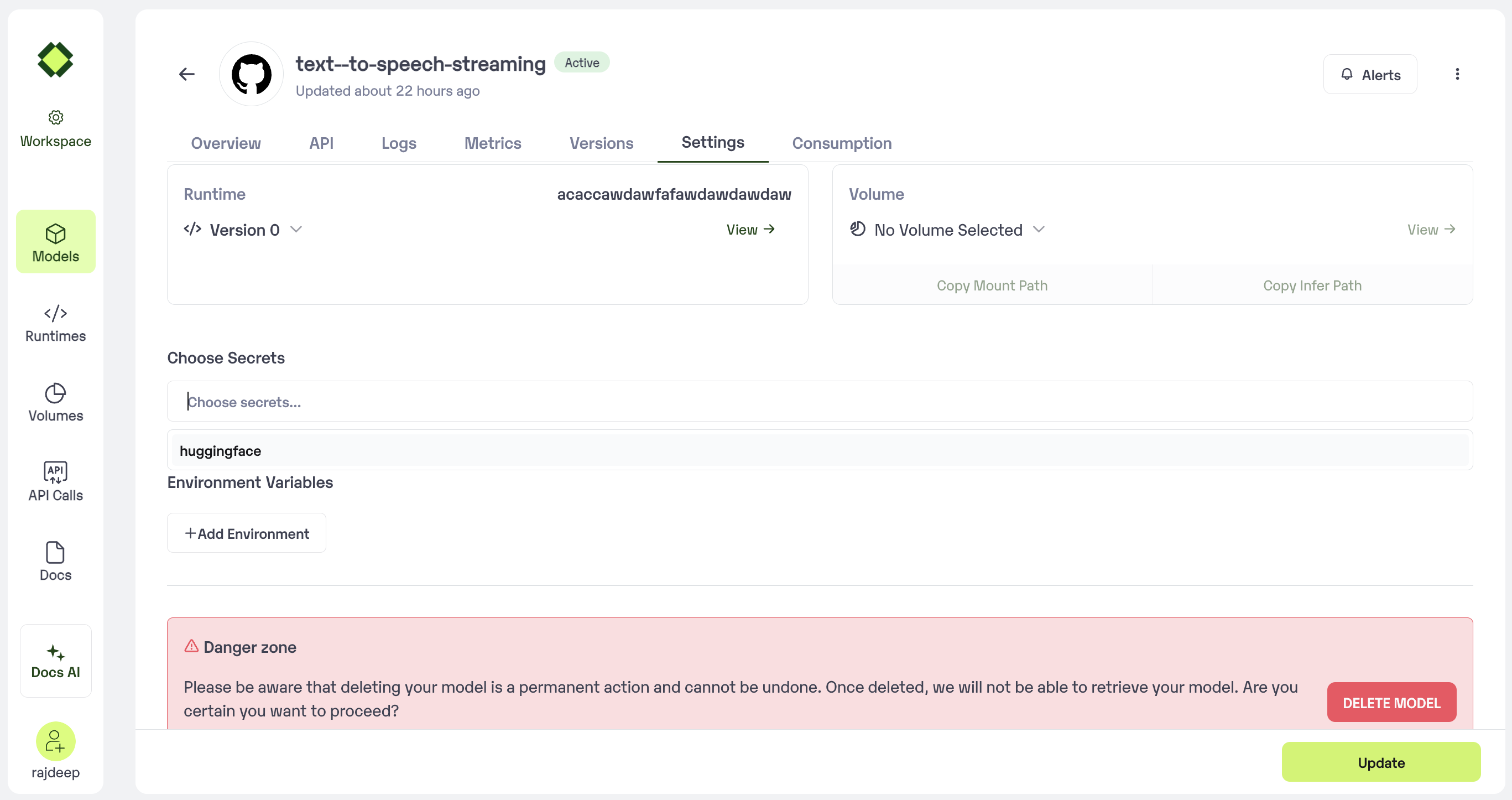
 ### Updating Secrets in Model Setting
Post model import, credentials can be added or removed via the Environment Tab in Model Settings
### Updating Secrets in Model Setting
Post model import, credentials can be added or removed via the Environment Tab in Model Settings