> ## Documentation Index
> Fetch the complete documentation index at: https://docs.inferless.com/llms.txt
> Use this file to discover all available pages before exploring further.
# Google Vertex AI
### Steps to enable Web-hook
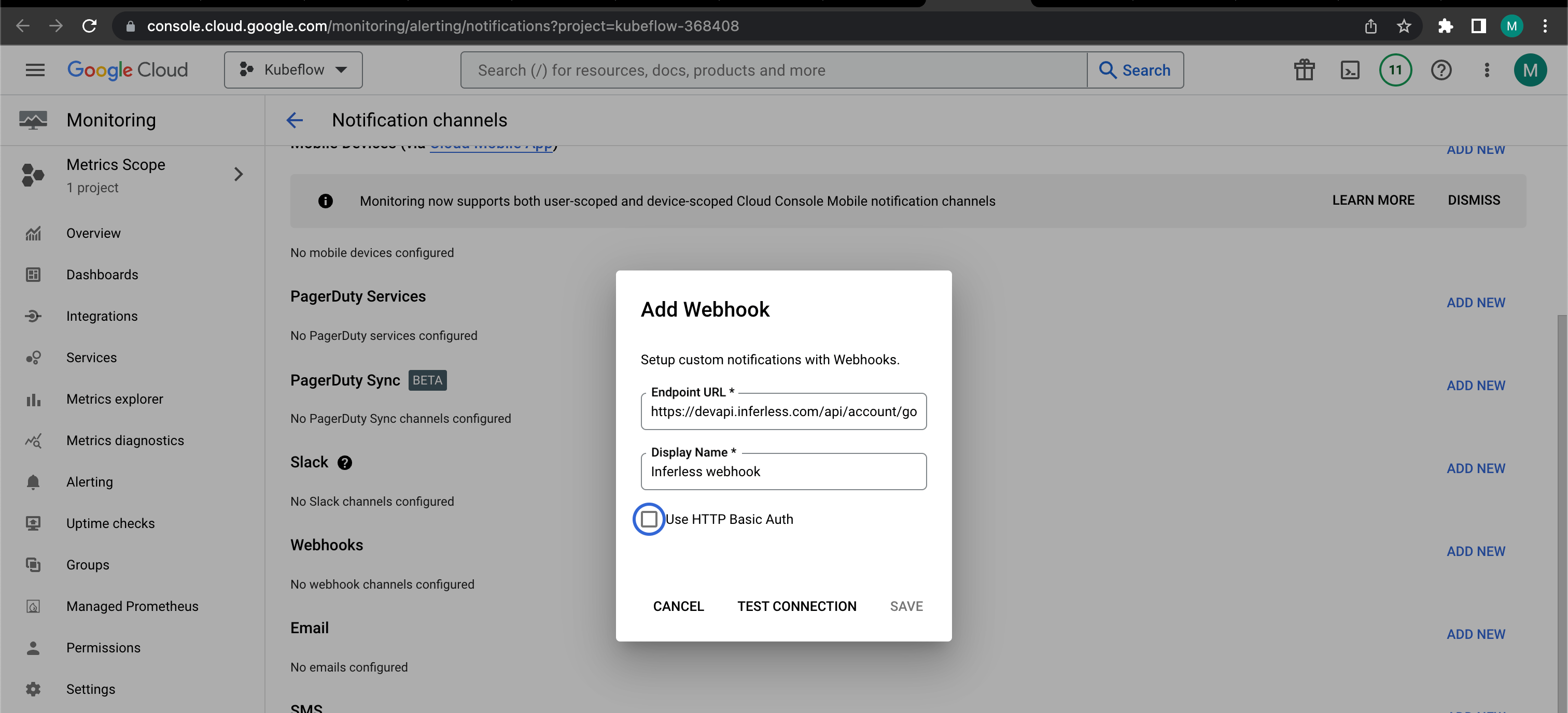
1. Create a webhook-based notification channel in the monitoring section.
2. This can be done through `Monitoring` -> `Alerting` -> `Edit Notification Channels` -> `Add Webhook `
3. `Make sure to check the Use HTTP Basic Auth Option.`
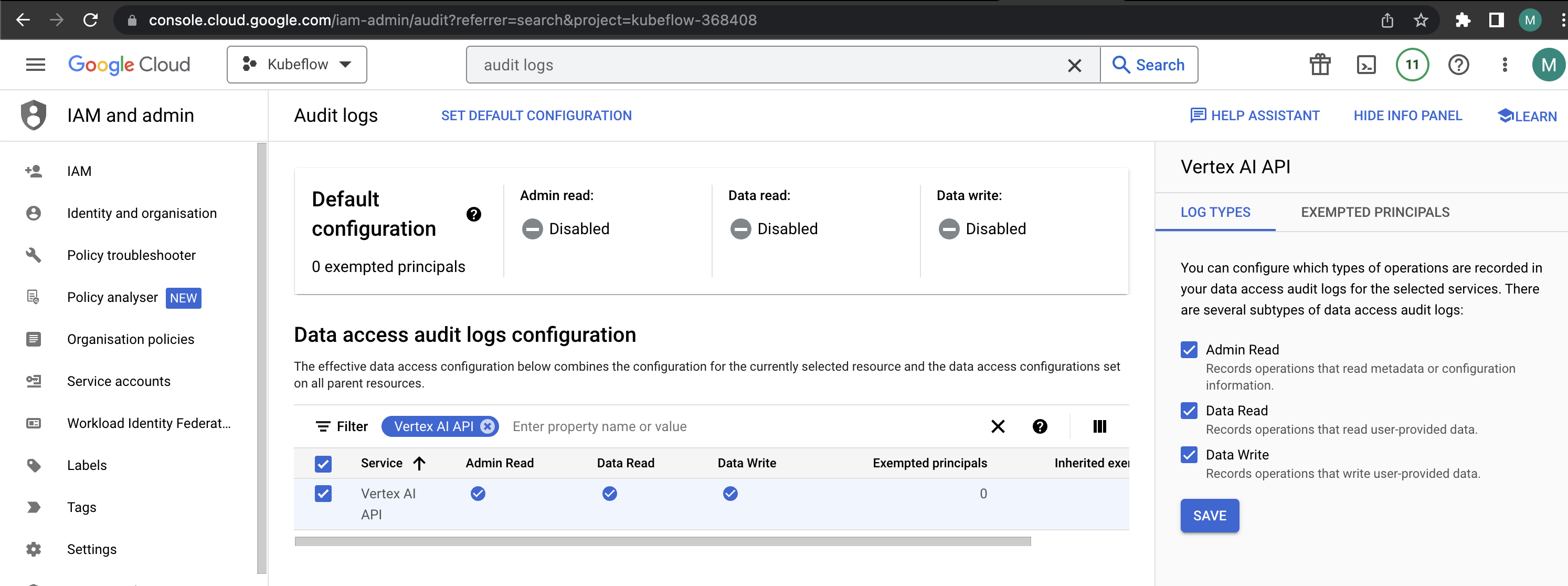
 2. Enable Audit logs in GCP for AI Platform.
3. This can be done through `IAM and Admin Section` -> `Audit Logs menu` -> `Filter for vertex AI.`
2. Enable Audit logs in GCP for AI Platform.
3. This can be done through `IAM and Admin Section` -> `Audit Logs menu` -> `Filter for vertex AI.`
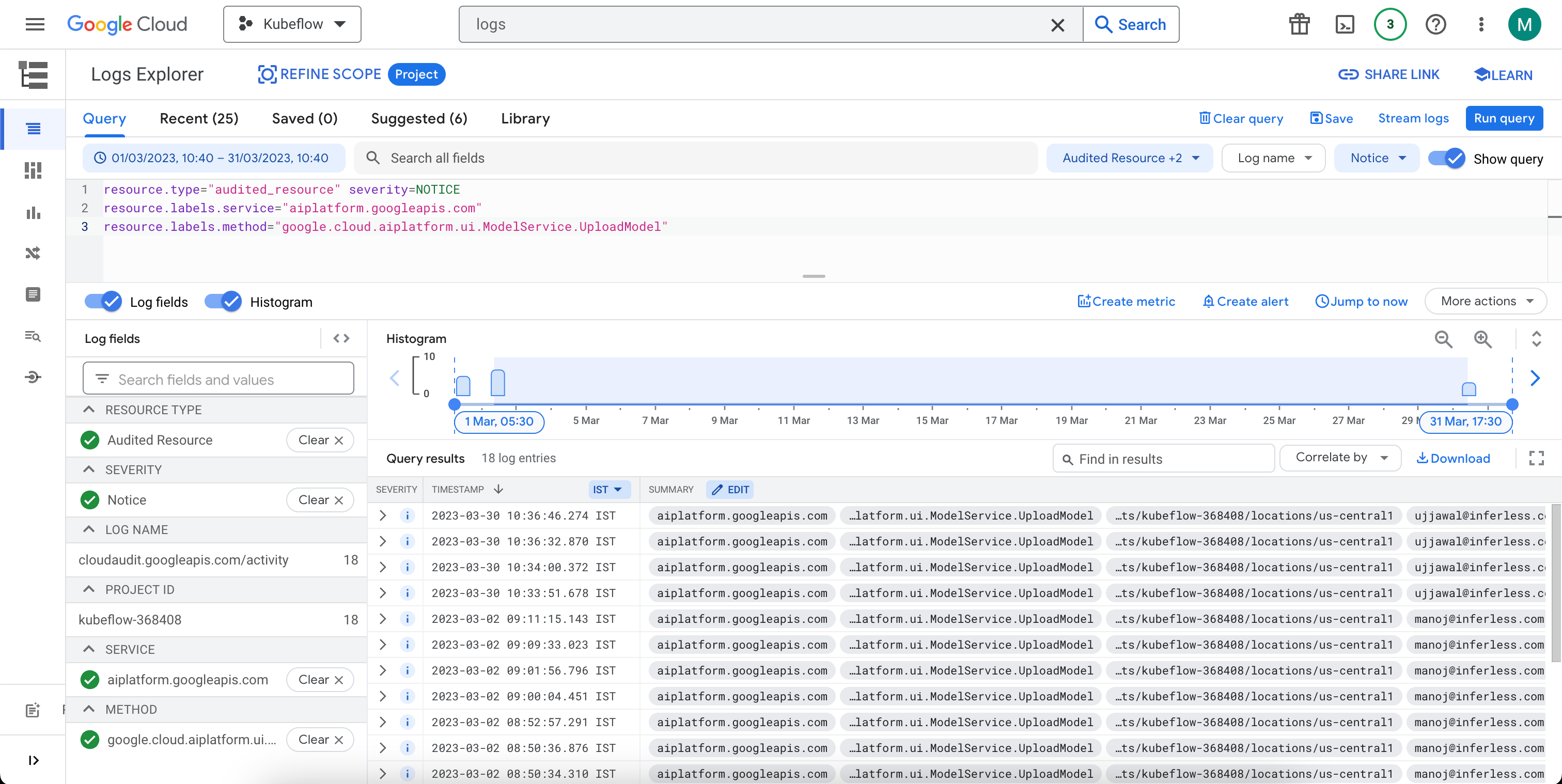
 3. In the`"logs explorer"`search for the query mentioned below and then click on the `create alert` button.
```
resource.type="audited_resource" severity=NOTICE
resource.labels.service="aiplatform.googleapis.com"
resource.labels.method="google.cloud.aiplatform.ui.ModelService.UploadModel"
```
3. In the`"logs explorer"`search for the query mentioned below and then click on the `create alert` button.
```
resource.type="audited_resource" severity=NOTICE
resource.labels.service="aiplatform.googleapis.com"
resource.labels.method="google.cloud.aiplatform.ui.ModelService.UploadModel"
```
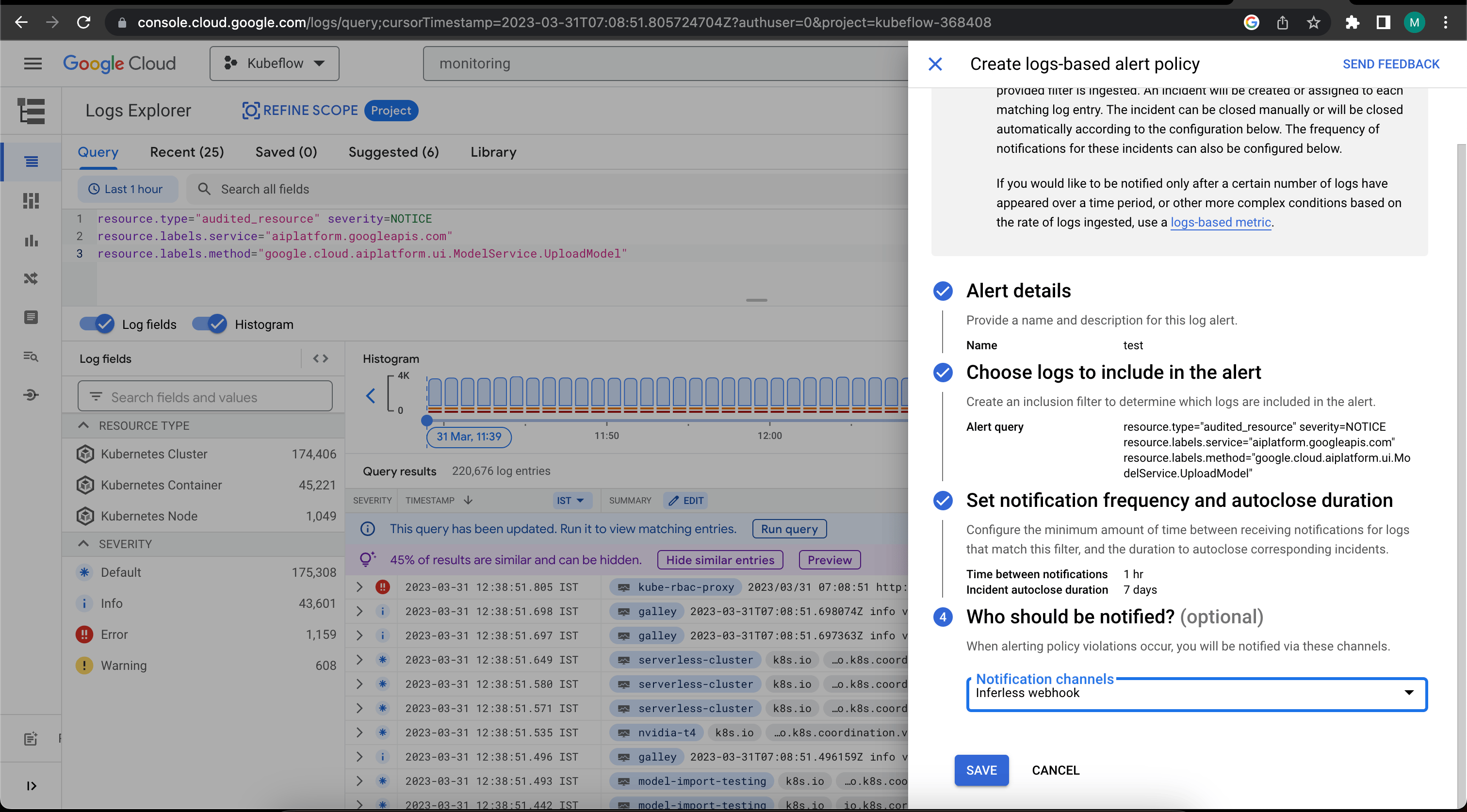
 4. Create the alert using the webhook channel we created above.
5. Click on "Create Log-based alert policy and select the webhook created.
4. Create the alert using the webhook channel we created above.
5. Click on "Create Log-based alert policy and select the webhook created.
 * Enter this webhook in as the Webhook URL as part of the Model Import process.
* Inferless would start listening to events and auto-build new versions accordingly.
You can view a sample video example below:
* Enter this webhook in as the Webhook URL as part of the Model Import process.
* Inferless would start listening to events and auto-build new versions accordingly.
You can view a sample video example below: