> ## Documentation Index
> Fetch the complete documentation index at: https://docs.inferless.com/llms.txt
> Use this file to discover all available pages before exploring further.
# Docker
### Steps to enable Webhook ( During Import )
Follow these steps to enable auto-build and use the webhook
#### Getting the API URL
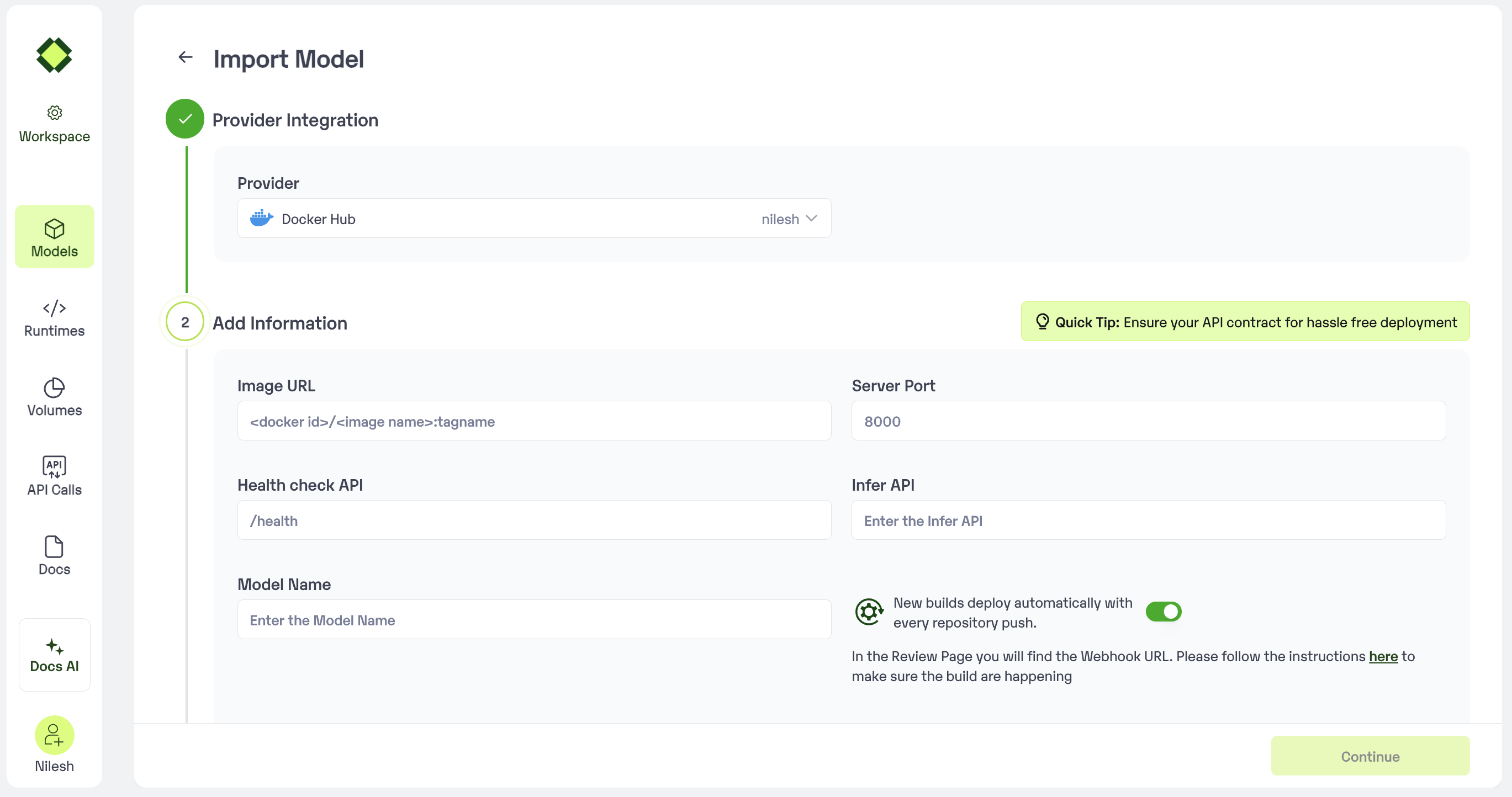
1. Enabling Auto-build while importing the model
1. Go to [Inferless Console](https://console.inferless.com/home) and select your workspace
2. Click on “Add Model” and follow the steps
3. In the “Add Information”, the automatic new build button is visible and in the Review Page you will find the Webhook URL.
 ### Enabling Auto-build after deploying the model
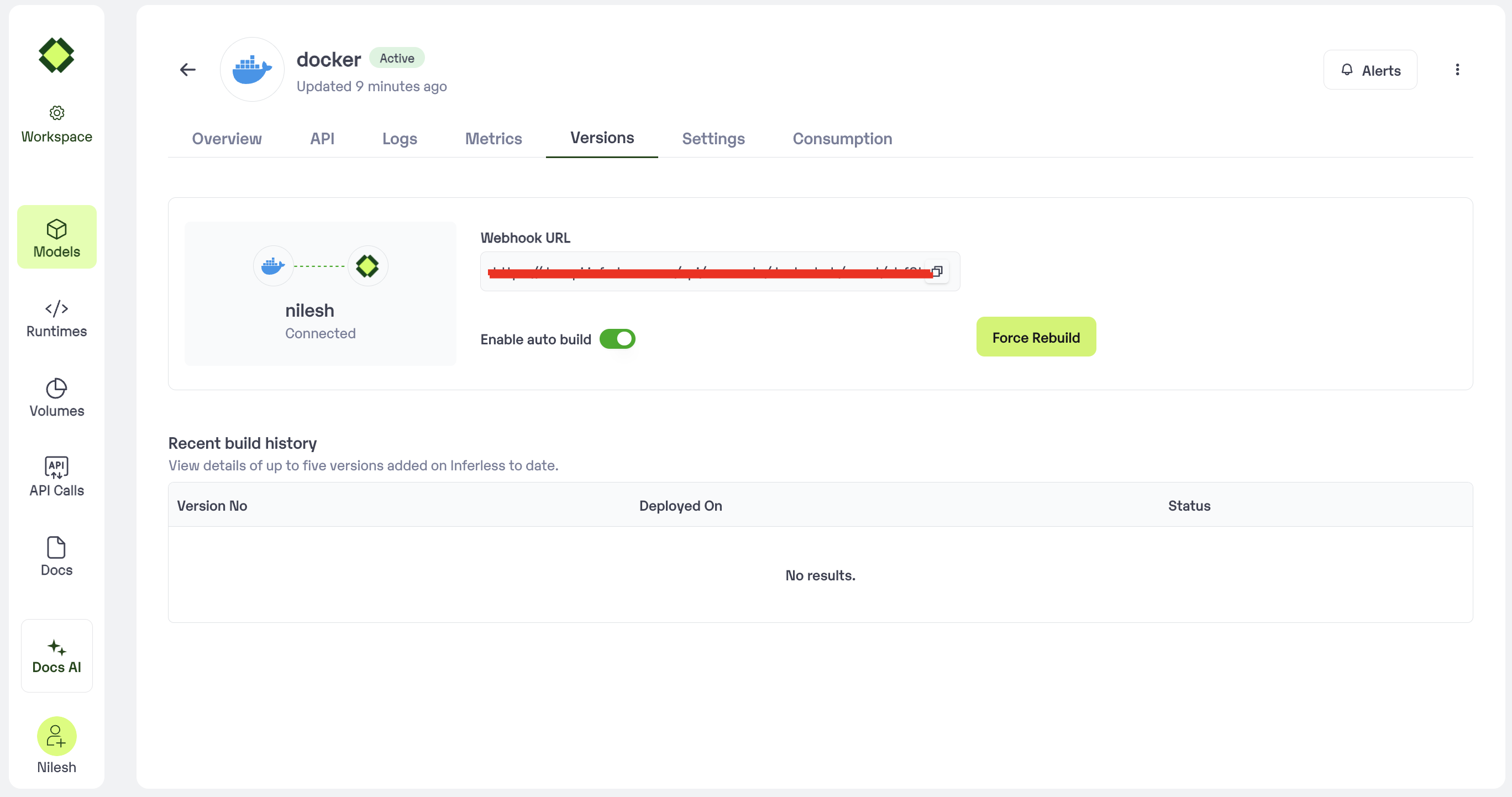
1. Go to [Inferless Console](https://console.inferless.com/home) and select your workspace
2. Select My Models and go to your model
3. In the model page, go to the "versions" tab, webhook url is visible upon checking the “Setup automatic build” box
### Enabling Auto-build after deploying the model
1. Go to [Inferless Console](https://console.inferless.com/home) and select your workspace
2. Select My Models and go to your model
3. In the model page, go to the "versions" tab, webhook url is visible upon checking the “Setup automatic build” box
 ### The Secret key
A Secret Key needs to be sent in the headers to authorize the webhook api call.
Copy and use this secret key
```SECRET_KEY theme={null}
aDE9pETsG0jXBHP5oM9qJWSxBJ07Q8CUmyRu04OxdJBJoVR1E6ixNyHwmXRH6cVi
```
### Integrate in you CI/CD
This webhook url can be used in the CI/CD of your choice.
Curl Request to trigger a build using webhook url
```bash theme={null}
curl --location --request POST '{WEBHOOK_URL}>' \\
--header 'X-Webhook-Secret: '
```
Python Requests Snippet to use webhook url
```python theme={null}
import requests
url = "{WEBHOOK_URL}"
payload = {}
headers = {
'X-Webhook-Secret': 'SECRET_KEY'
}
response = requests.request("POST", url, headers=headers, data=payload)
print(response.text)
```
\*\* Replace WEBHOOK\_URL & SECRET\_KEY with the values mentioned earlier
### The Secret key
A Secret Key needs to be sent in the headers to authorize the webhook api call.
Copy and use this secret key
```SECRET_KEY theme={null}
aDE9pETsG0jXBHP5oM9qJWSxBJ07Q8CUmyRu04OxdJBJoVR1E6ixNyHwmXRH6cVi
```
### Integrate in you CI/CD
This webhook url can be used in the CI/CD of your choice.
Curl Request to trigger a build using webhook url
```bash theme={null}
curl --location --request POST '{WEBHOOK_URL}>' \\
--header 'X-Webhook-Secret: '
```
Python Requests Snippet to use webhook url
```python theme={null}
import requests
url = "{WEBHOOK_URL}"
payload = {}
headers = {
'X-Webhook-Secret': 'SECRET_KEY'
}
response = requests.request("POST", url, headers=headers, data=payload)
print(response.text)
```
\*\* Replace WEBHOOK\_URL & SECRET\_KEY with the values mentioned earlier