> ## Documentation Index
> Fetch the complete documentation index at: https://docs.inferless.com/llms.txt
> Use this file to discover all available pages before exploring further.
# Model Alerts using AWS SNS
> You can integrate with Inferless for alerts by using SNS to send notifications about critical events related to model health.
### Types of alerts supported by Inferless
* You will be notified for the following events:
1. Your model inference is getting a non 200 http response code
* Sample SNS subject and message format
* subject: "4xx errors increased for 4f1b4709-394b-4424-90f2-729881cee8cf by 1"
* message:
```json theme={null}
{
"model_id": "4f1b4709-394b-4424-90f2-729881cee8cf",
"model_url": "https://test-inferless.com/model-details?model_id=4f1b4709-394b-4424-90f2-729881cee8cf",
"message": "The service https://test-inferless.com/model-details?model_id=4f1b4709-394b-4424-90f2-729881cee8cf had 1 4xx errors over the last 30 seconds.",
"error_type": "4xx_error_increased",
"value": 1
}
```
2. Your model inference latency is more than 20 seconds
* Sample SNS subject and message format
* subject: "High latency for 2c7f23d5-27b1-4e21-8dbf-f8c926e4385d above 20 seconds"
* message:
```json theme={null}
{
"model_id": "2c7f23d5-27b1-4e21-8dbf-f8c926e4385d",
"model_url": "https://test-inferless.com/model-details?model_id=2c7f23d5-27b1-4e21-8dbf-f8c926e4385d",
"message": "The service https://test-inferless.com/model-details?model_id=2c7f23d5-27b1-4e21-8dbf-f8c926e4385d had latency above 20 seconds. Current latency in milliseconds: 59640 ms",
"error_type": "latency_increased",
"value": 59640
}
```
### Steps to integrate with AWS SNS
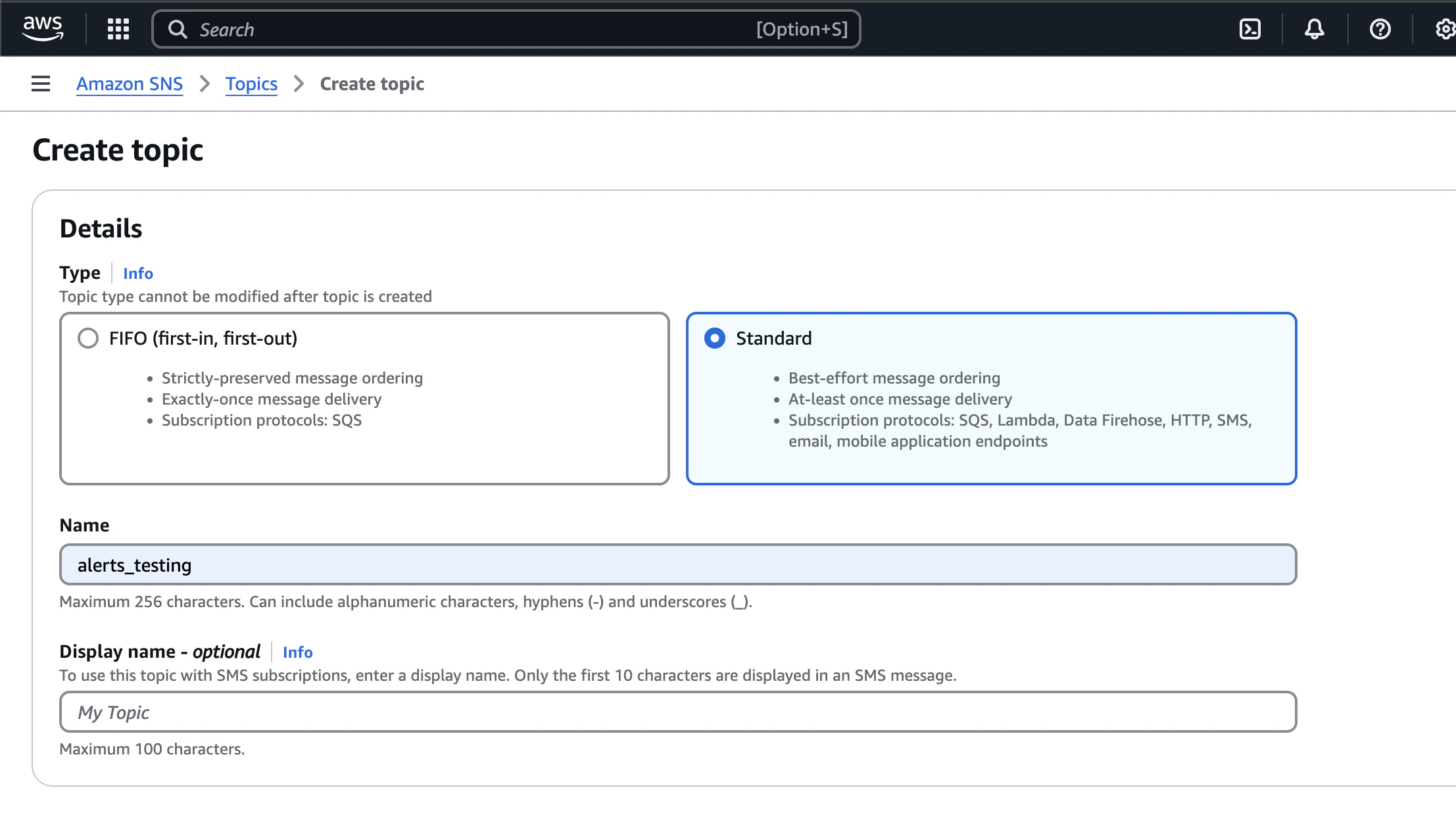
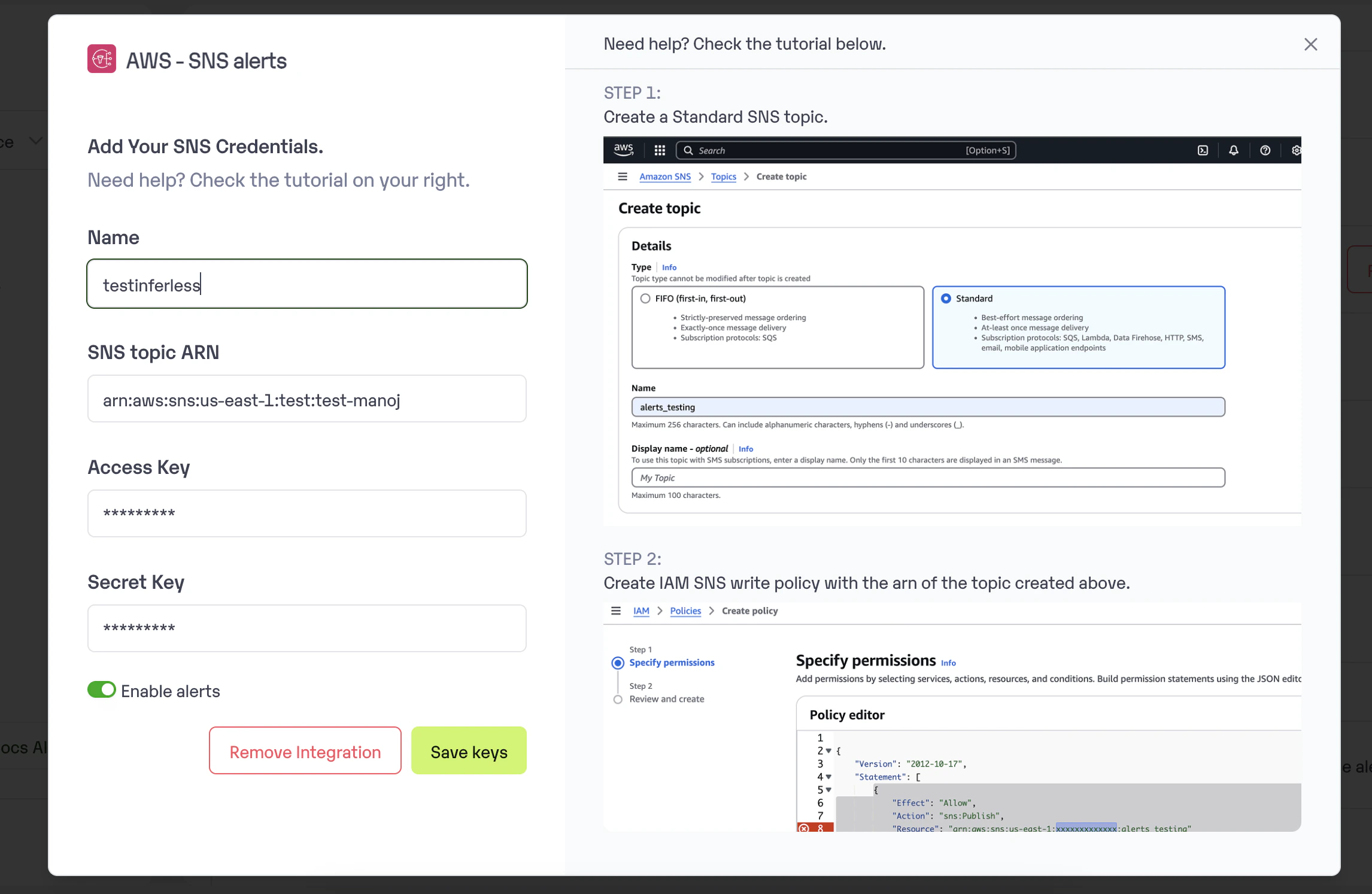
* Create a new Standard SNS topic in your AWS account.
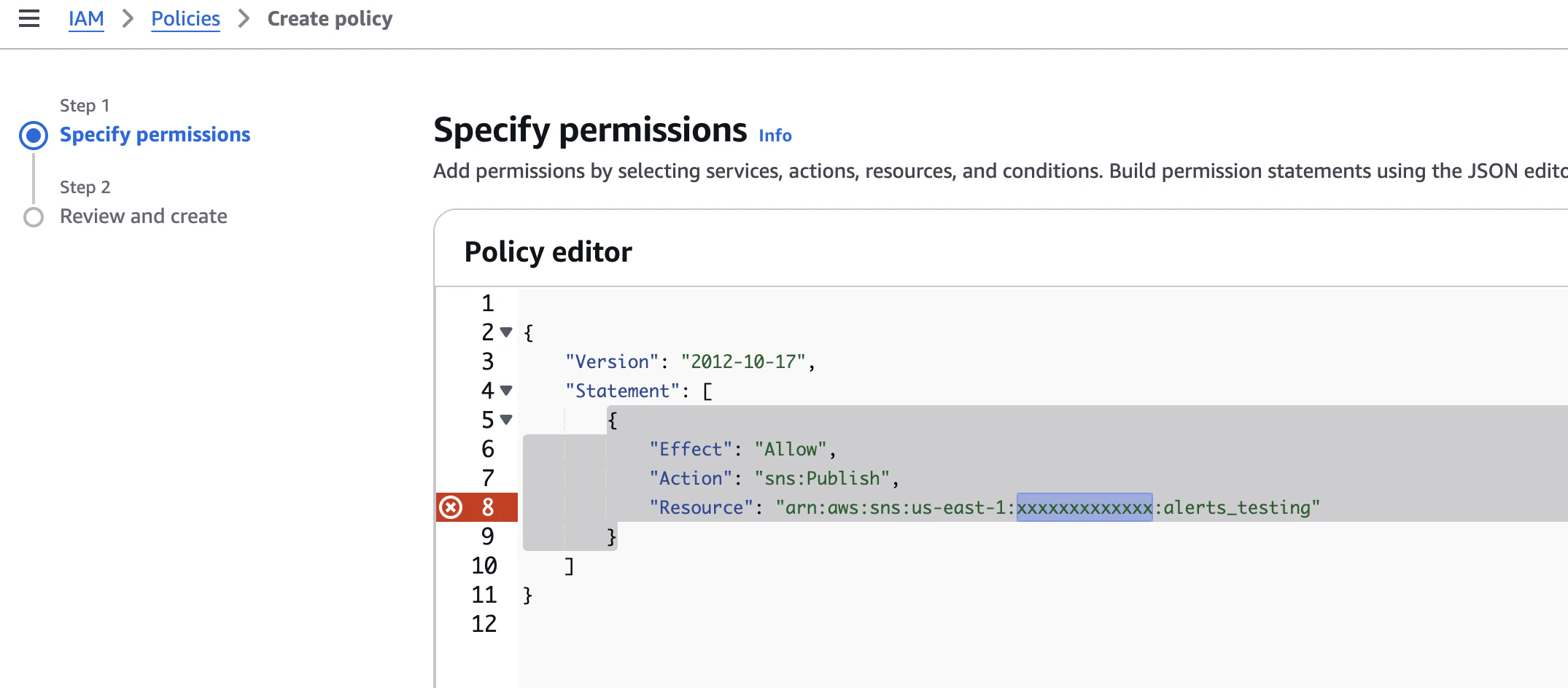
 * Create and IAM user in your AWS account and add a SNS policy to write to topic
 * Add the topic ARN, access and secret keys in the Manage Integrations --> Workspace Integrations --> AWS SNS section
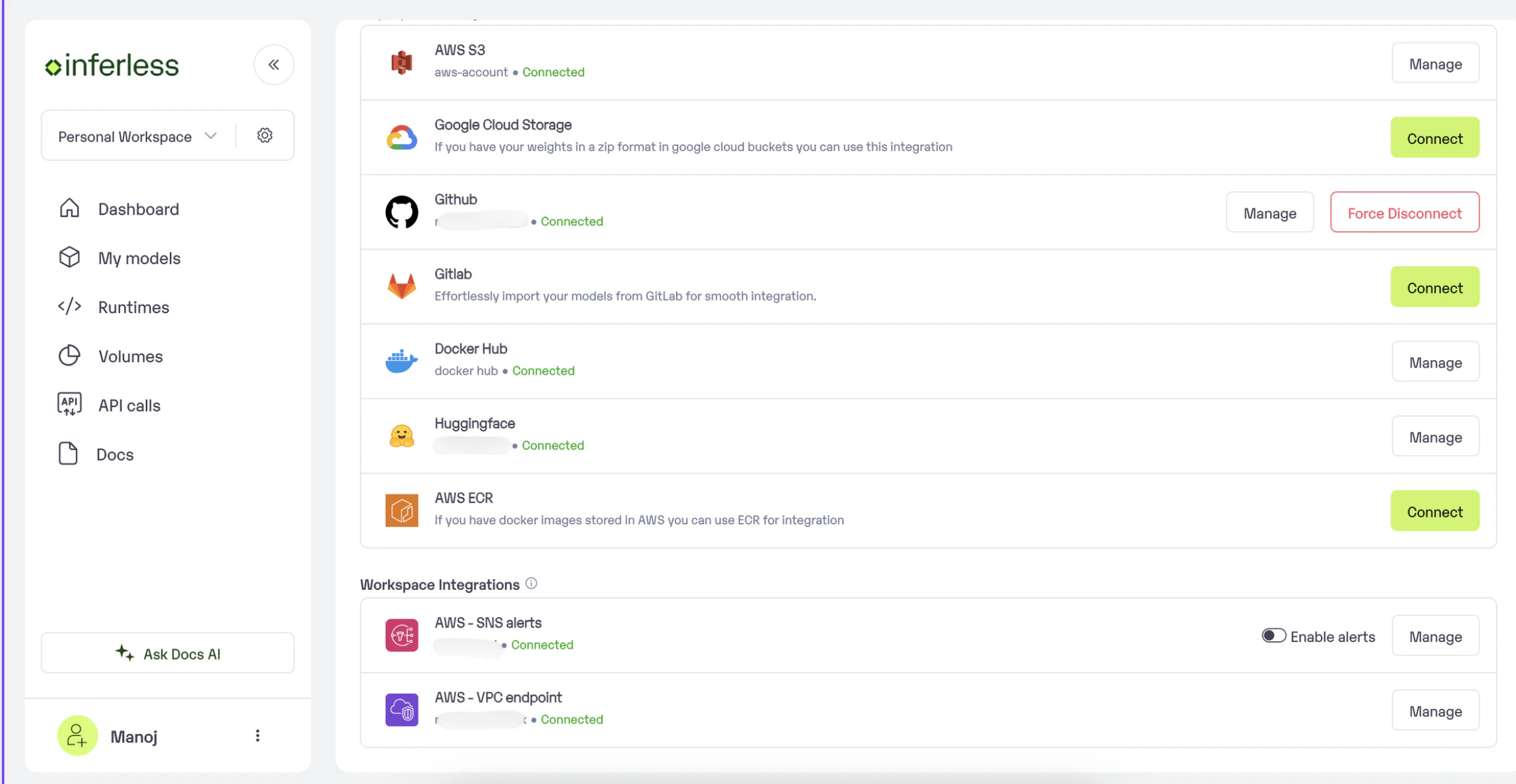
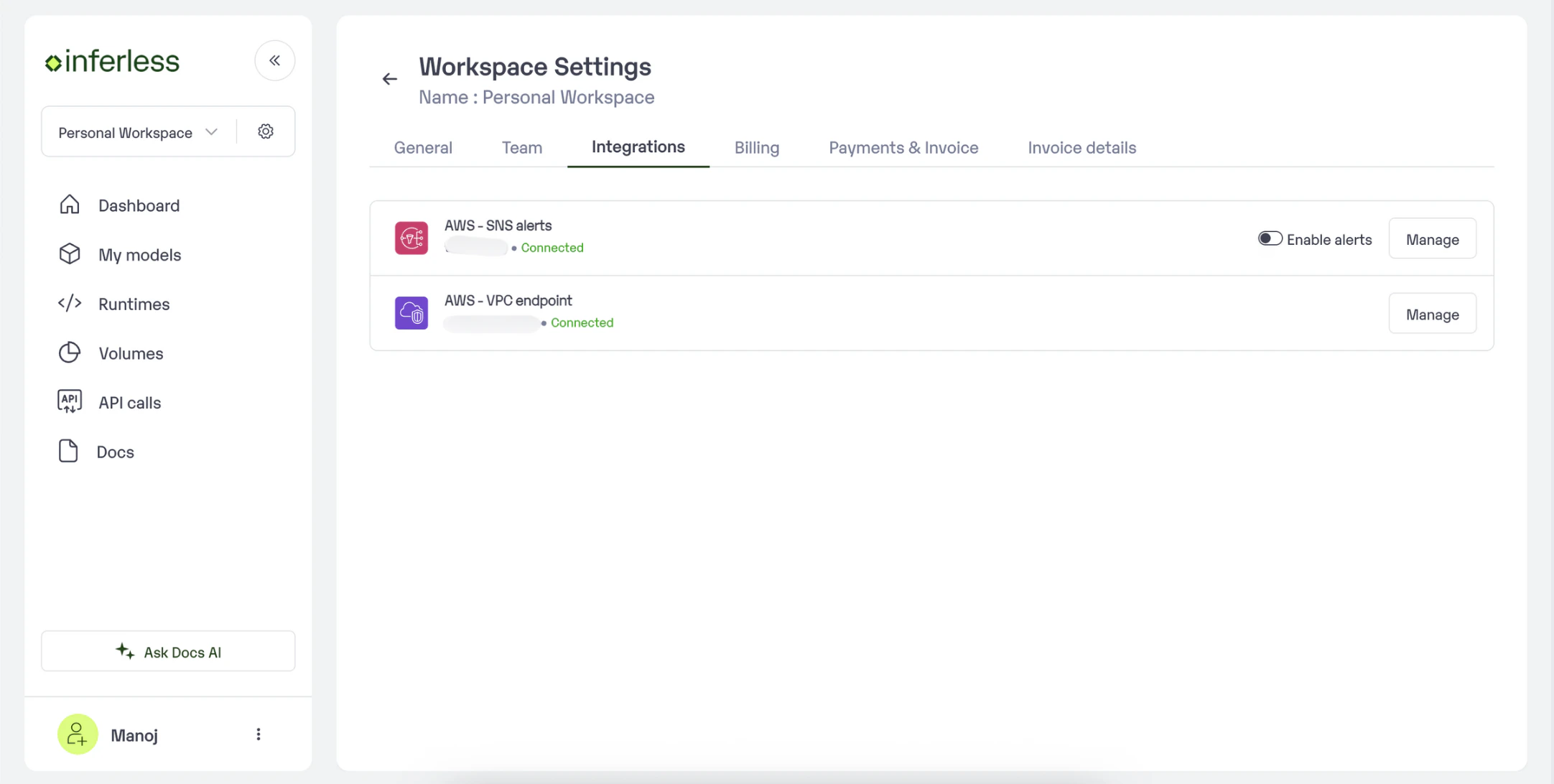
 * You can also enable or disable alerts in Workspace Settings --> Integrations --> AWS SNS section
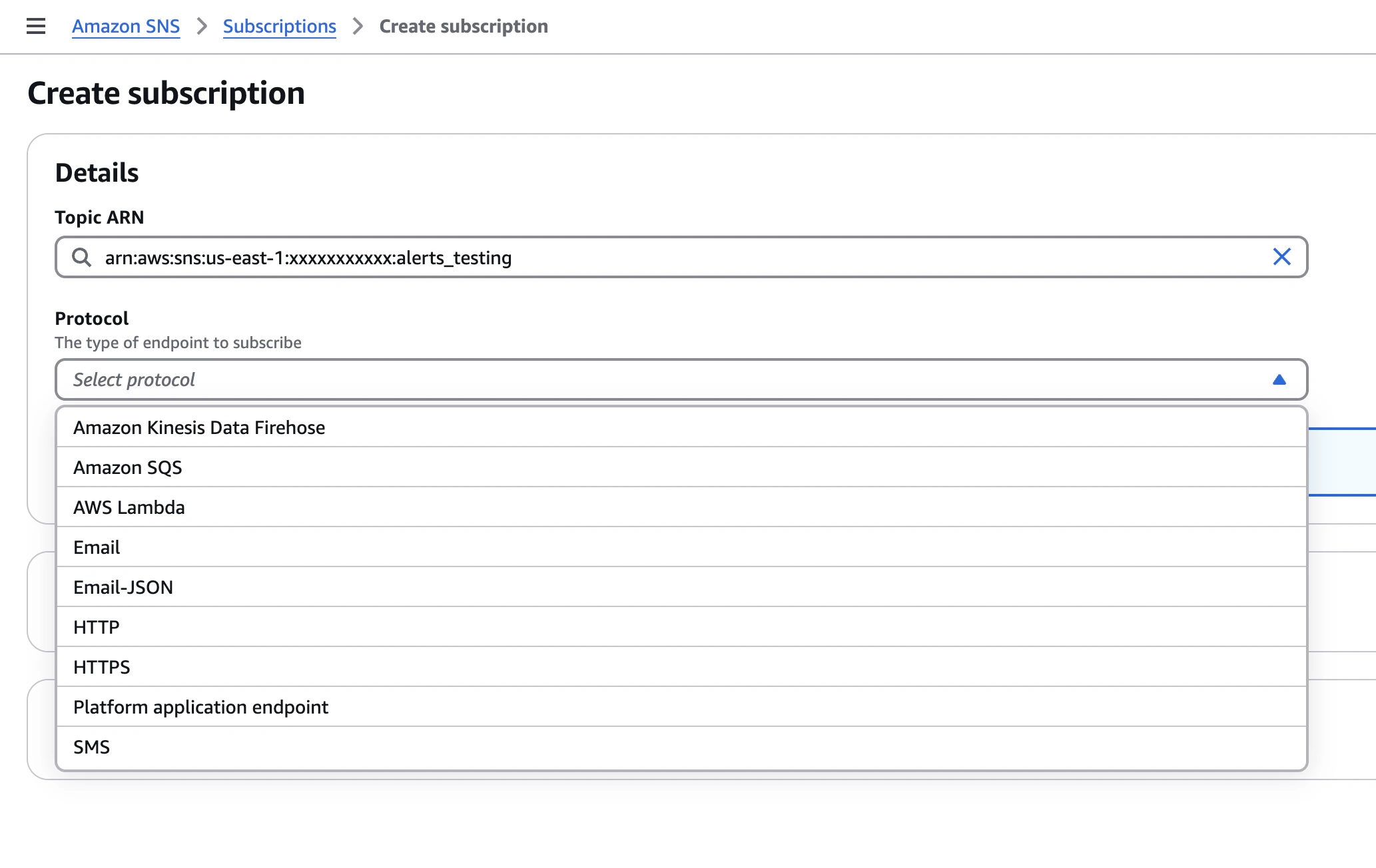
 * You can then create a subscription of choice to recieve notifications.