> ## Documentation Index
> Fetch the complete documentation index at: https://docs.inferless.com/llms.txt
> Use this file to discover all available pages before exploring further.
# Automatic Build on Inferless
With Inferless, you can automatically build your model from various sources like Github, Hugging Face, Docker, AWS S3 where you don't worry about pushing newer version of your model. Inferless will automatically build the model for you.
There are 2 wasy to set up automatic builds on Inferless:
1. **Automatic Build from Git Based Deployments**
If you are using Github/Gitlab integration with Inferless, you can set up automatic builds by specifying the 'branch' checking the automatic build checkbox.
2 **Automatic Build from via Webhooks**
If you are using Hugging Face, Docker, AWS S3, GCP or any other source, you can set up automatic builds by setting up webhooks.
### Example of Automatic Build from Hugging Face
#### Step 1: Find the webhook URL for the model
### Steps to enable Webhook in Hugging Face /Docker/S3
Below are the steps that are to be followed to enable a Webhook:
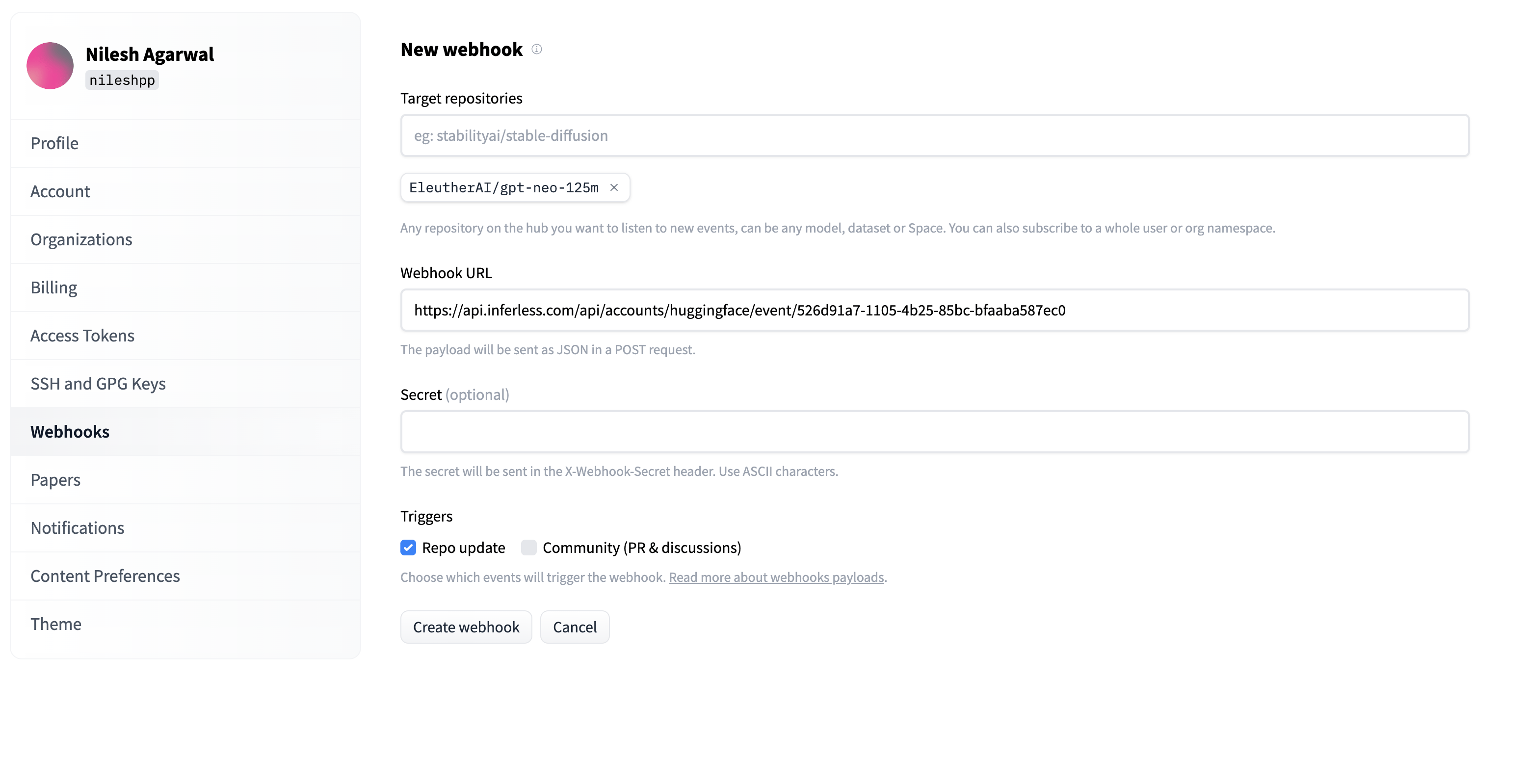
* Log into your Hugging Face account which contains the model that you wish to load.
* Go to `Settings` -> `Webhooks.`
* Click `"add a new Webhook".`
* Choose the `target repository`, which is your model.
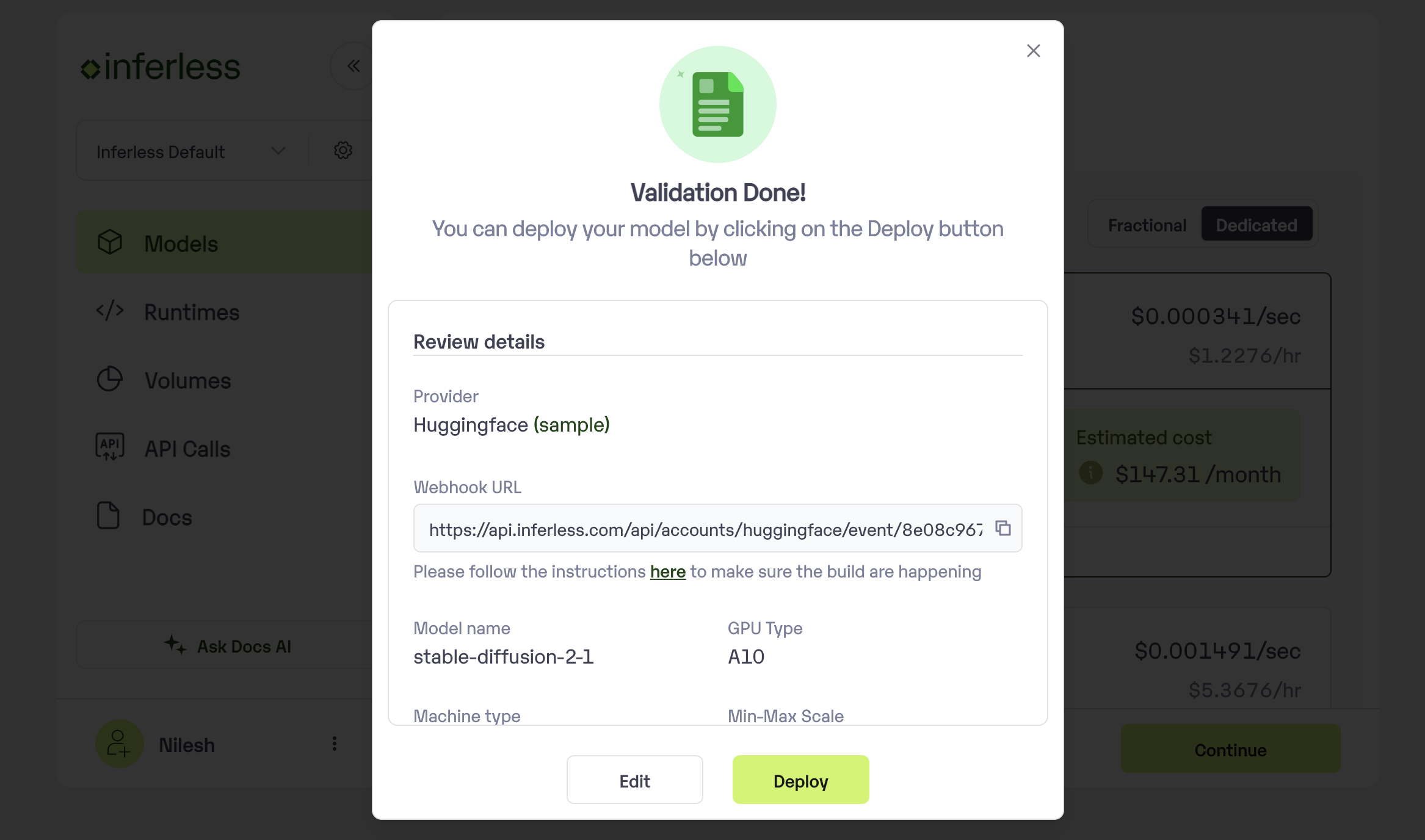
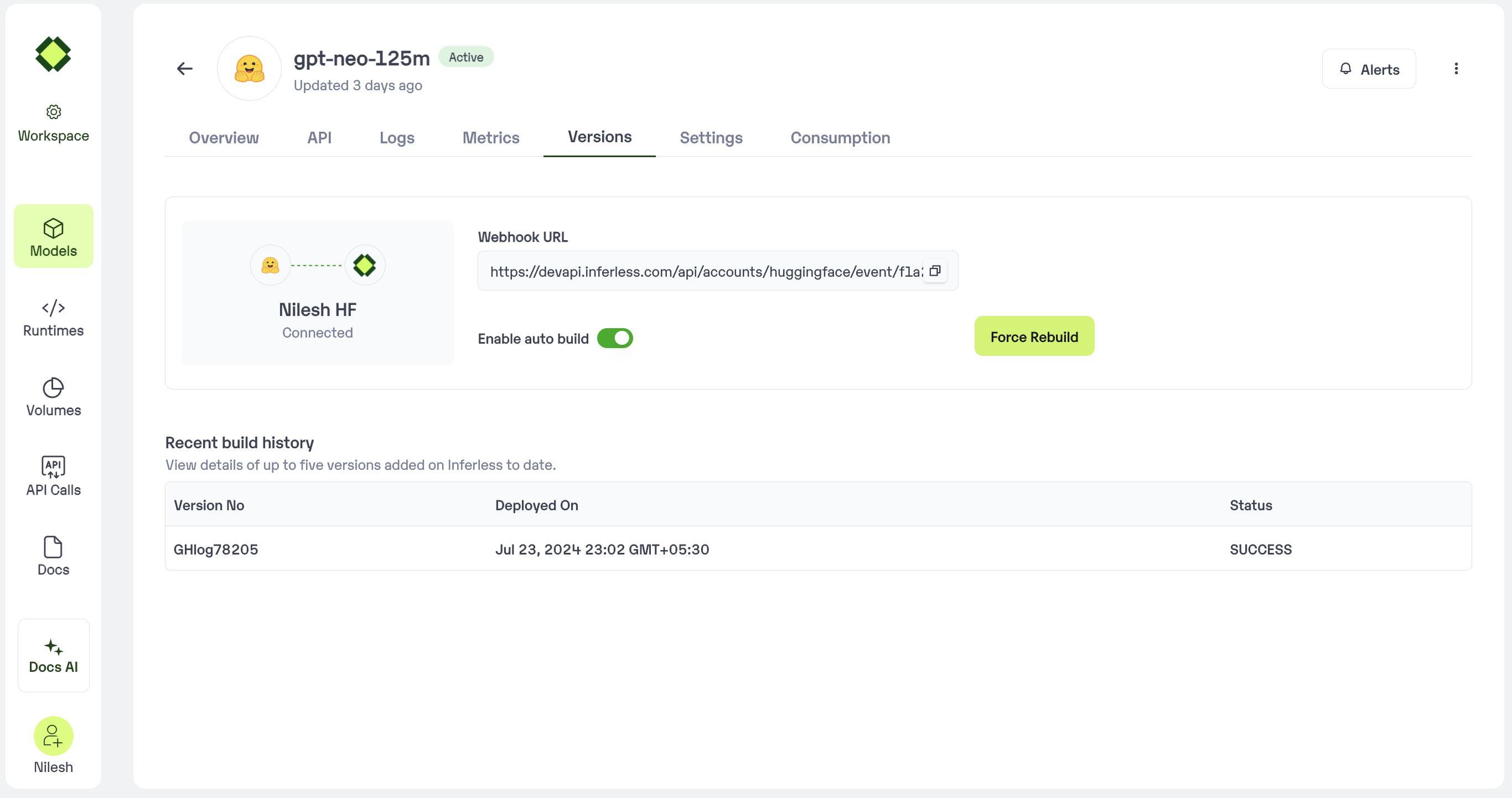
* Add the `API URL`, which can be copied from your model Page
1. In case you are doing this during onboarding, the API URL would be displayed during the model import
2. View the screenshot below:
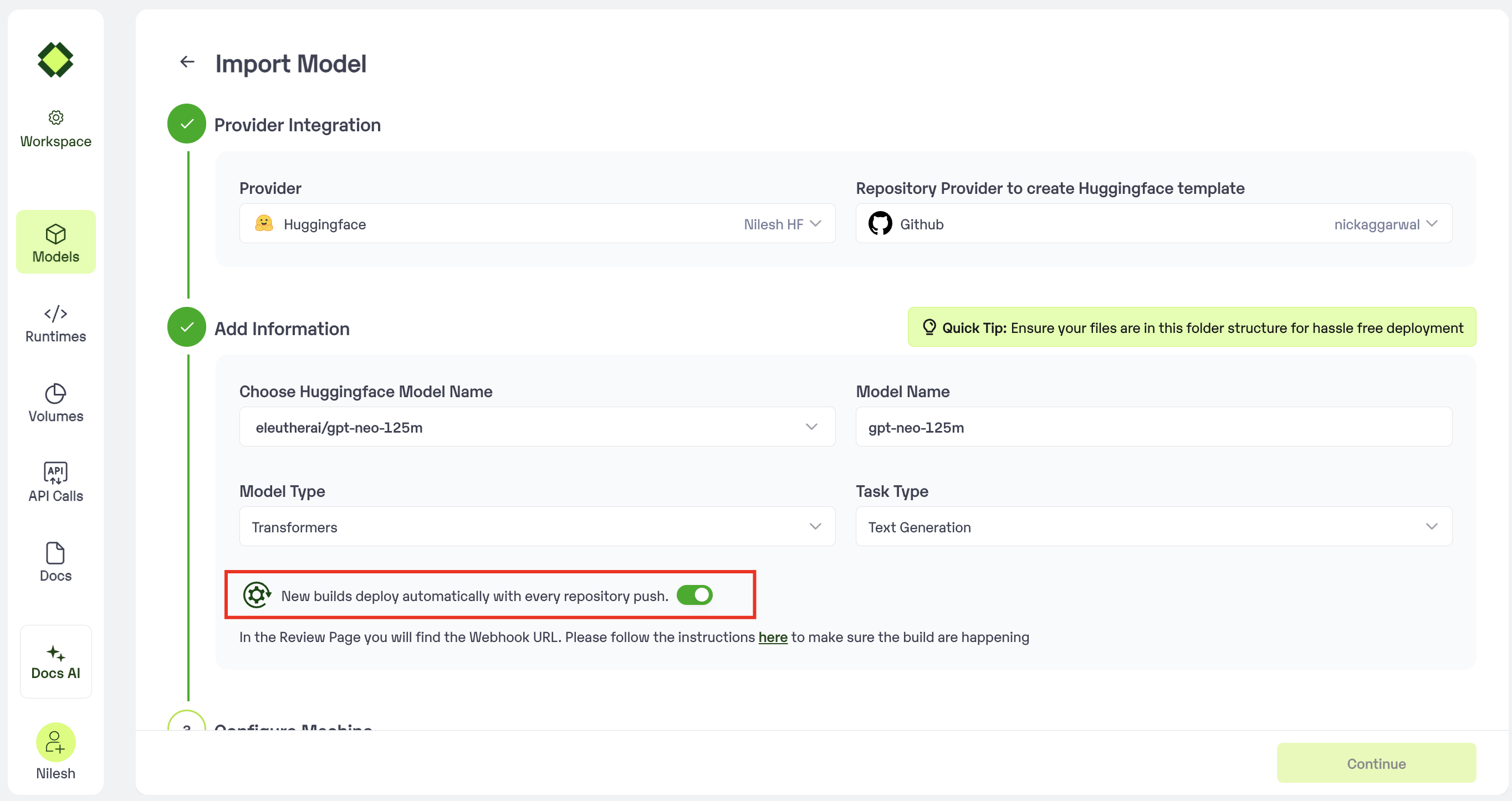 In the review page you can see the url to be used for the webhook
 * In case you are doing this post-model import, you can view this under `Model page -> Versions`
 * Enable the`Repo Update`option under `triggers`. Click "Create Webhook" to complete the process.
* View the screenshot below for a sample completed "New Webhook" Page.
* Enable the`Repo Update`option under `triggers`. Click "Create Webhook" to complete the process.
* View the screenshot below for a sample completed "New Webhook" Page.