> ## Documentation Index
> Fetch the complete documentation index at: https://docs.inferless.com/llms.txt
> Use this file to discover all available pages before exploring further.
# Model Endpoint
## How to call your model endpoint?
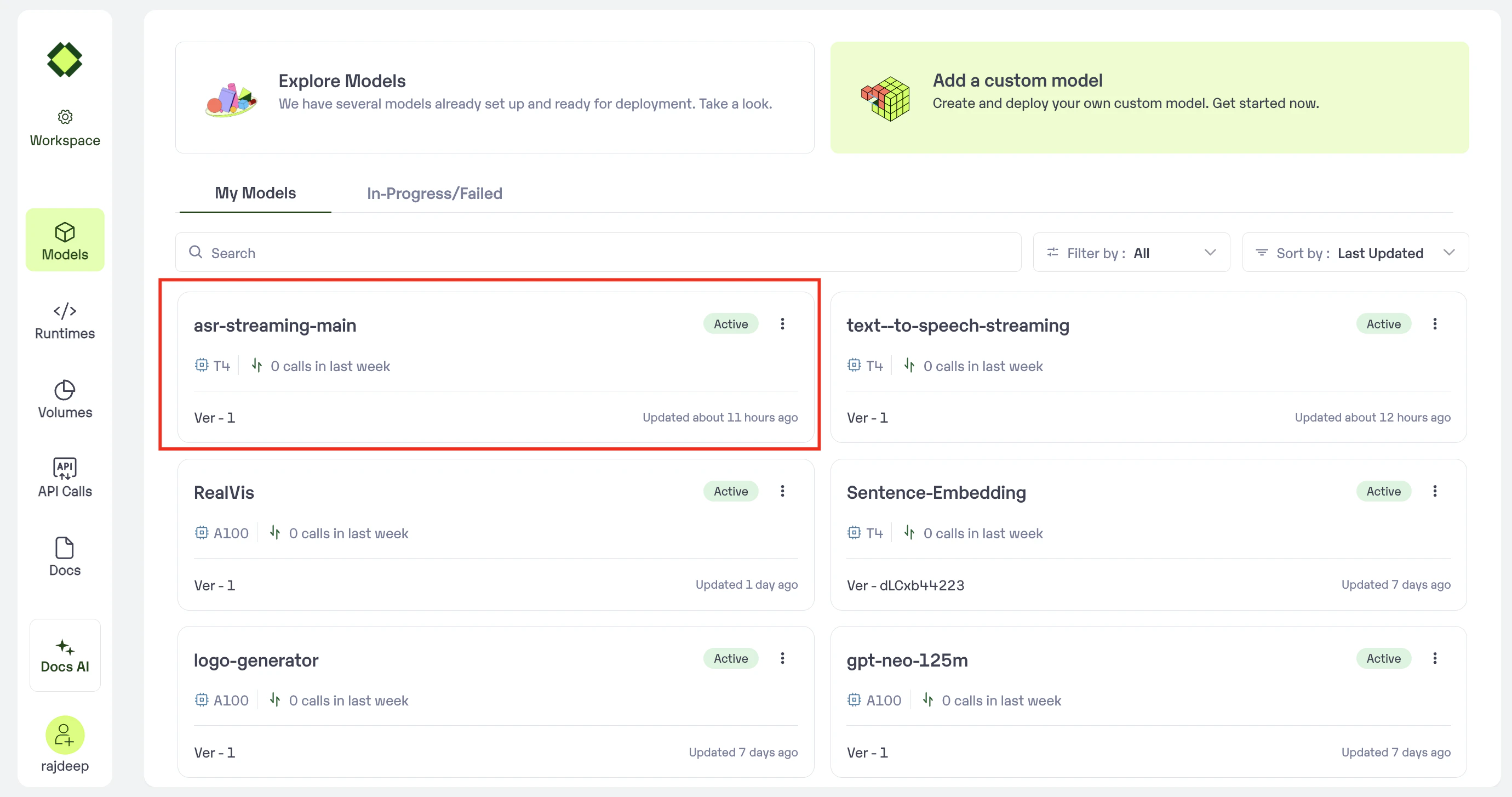
### Step 1: Select Desired Model
Post importing your model, you would be able to view the model in your workspace as given below
 ### Step 2: View and Call your API
* Click on the API tab.
* You can view the cURL or python script that can be used to call your mode.
* You can also copy the end point directly mentioned under "API Endpoint"
### Step 2: View and Call your API
* Click on the API tab.
* You can view the cURL or python script that can be used to call your mode.
* You can also copy the end point directly mentioned under "API Endpoint"
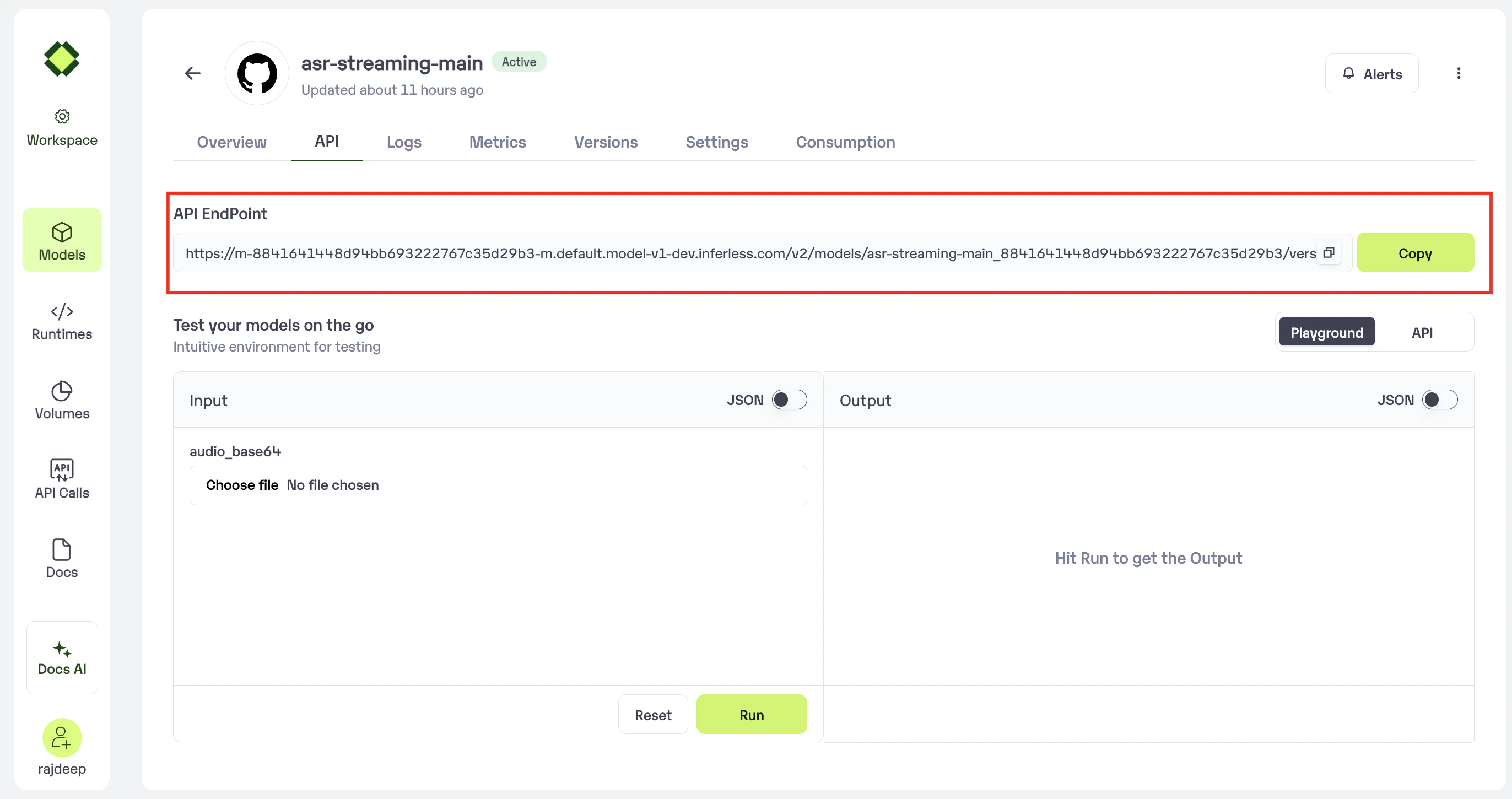 * Click on the Copy button to Copy the code for yourself.
* You can now call using this from your end. The inference result would be the output for these calls.
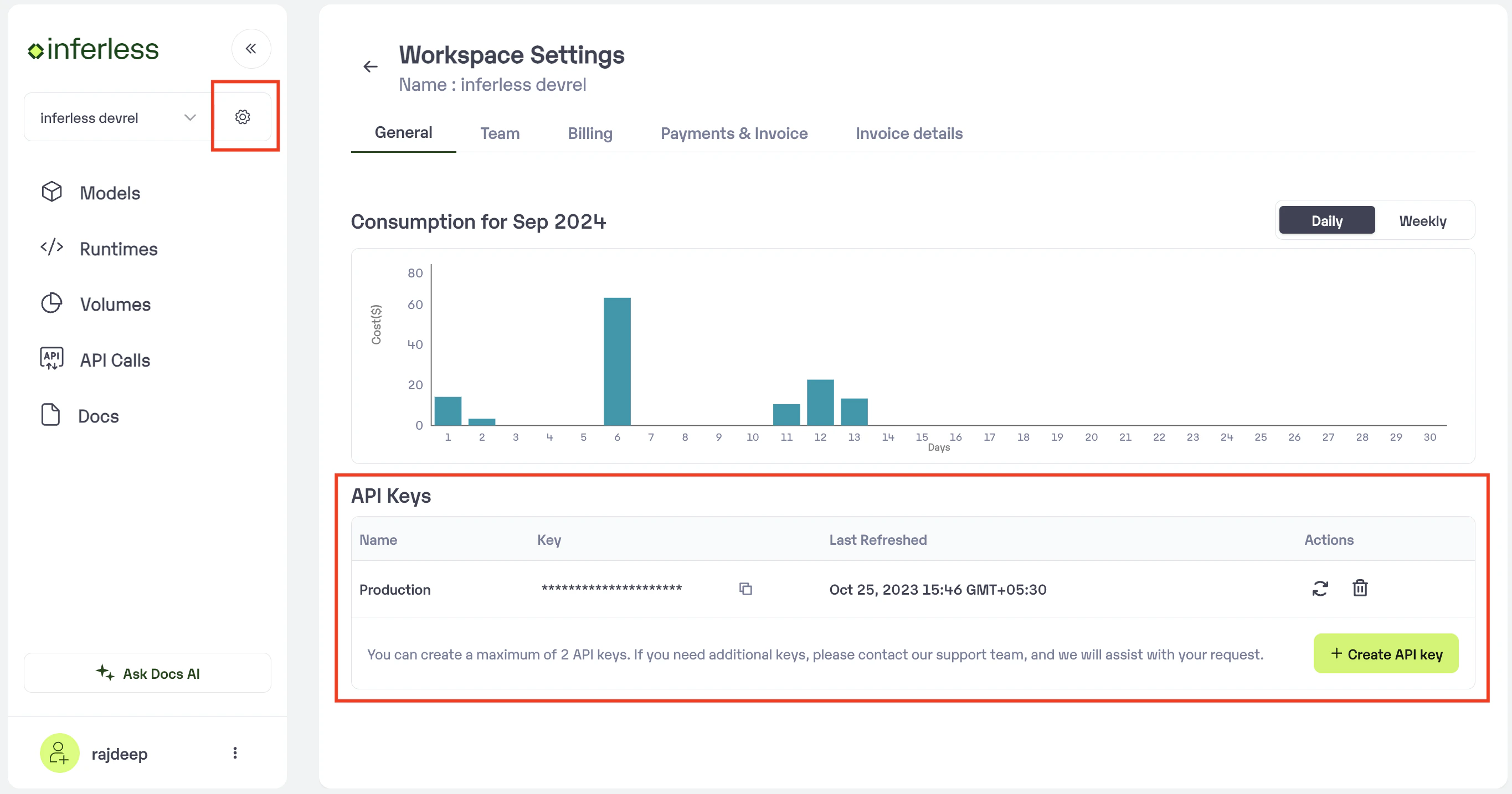
In case you need help with **API Keys:**
* Click on settings, available on the top, next to your Workspace Name
* Click on "Workspace API keys"
* You can view the details of your key or generate a new one.
* Click on the Copy button to Copy the code for yourself.
* You can now call using this from your end. The inference result would be the output for these calls.
In case you need help with **API Keys:**
* Click on settings, available on the top, next to your Workspace Name
* Click on "Workspace API keys"
* You can view the details of your key or generate a new one.