> ## Documentation Index
> Fetch the complete documentation index at: https://docs.inferless.com/llms.txt
> Use this file to discover all available pages before exploring further.
# Build Logs
## How to view build logs?
**Pre Deployment: While Importing a Model**
* `Go to Workspace -> In Progress/Failed -> Choose Model`
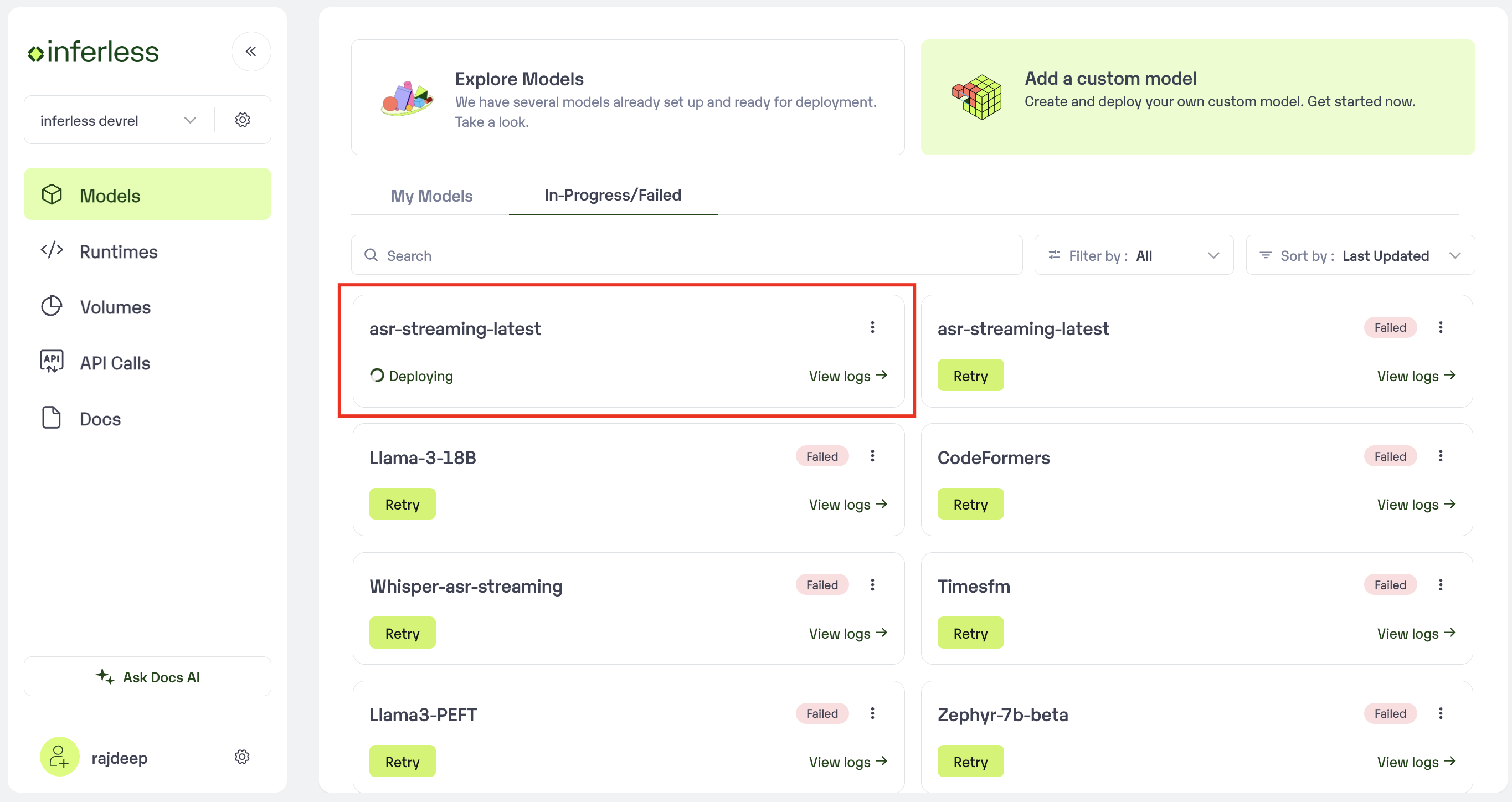 Click on the model that you would like to see the logs for
* A Pop-Up will open with the logs that are being generated.
Click on the model that you would like to see the logs for
* A Pop-Up will open with the logs that are being generated.
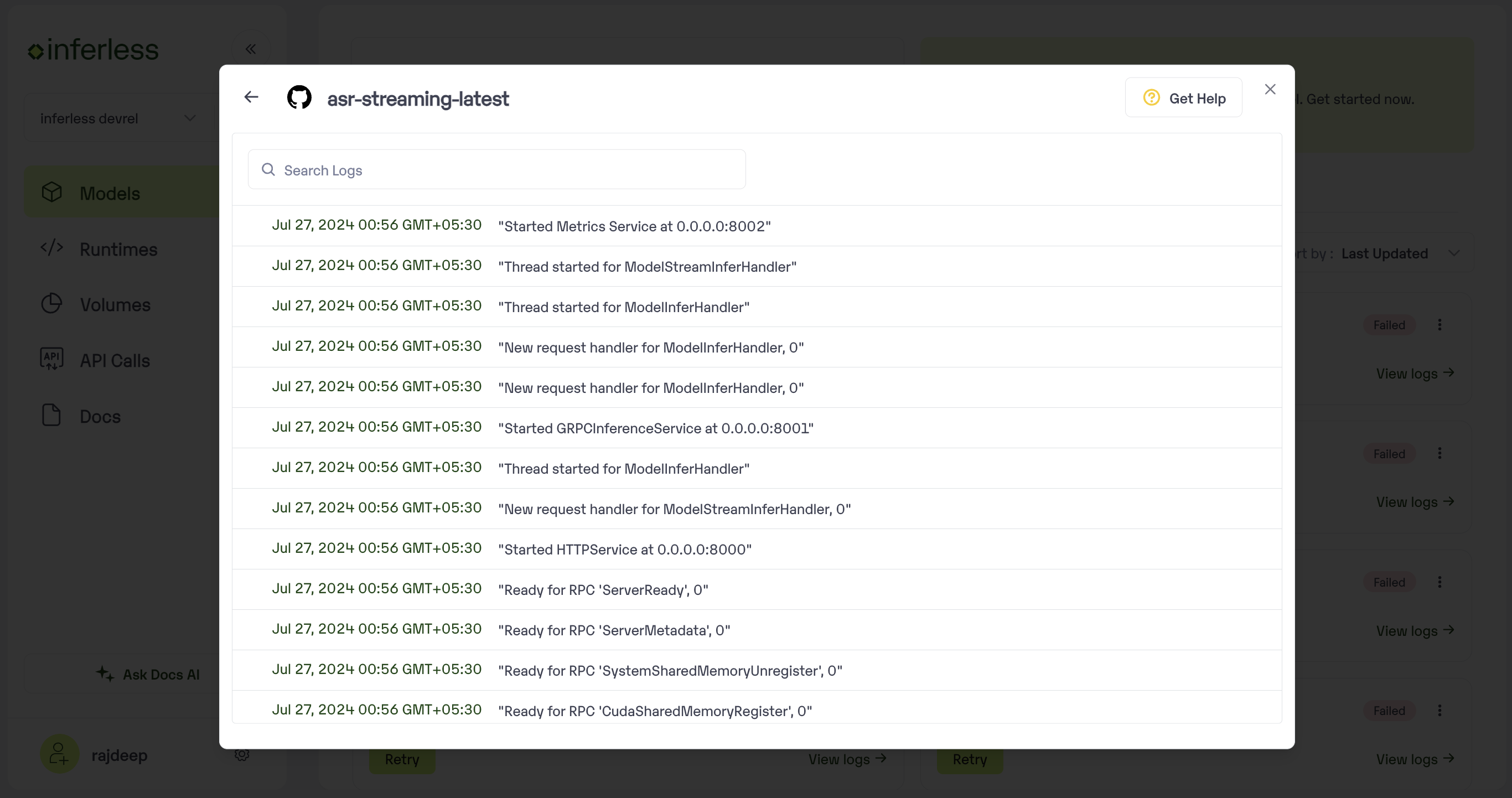 View the build logs. Click on referesh
* You can search and debug as per your requirement.The logs will also be available for models that have failed under the same section. You can debug the same.
**Post Deployment : New build via web-hook**
* Go to your `workspace space -> "My Models" -> Logs -> Build Logs`
View the build logs. Click on referesh
* You can search and debug as per your requirement.The logs will also be available for models that have failed under the same section. You can debug the same.
**Post Deployment : New build via web-hook**
* Go to your `workspace space -> "My Models" -> Logs -> Build Logs`
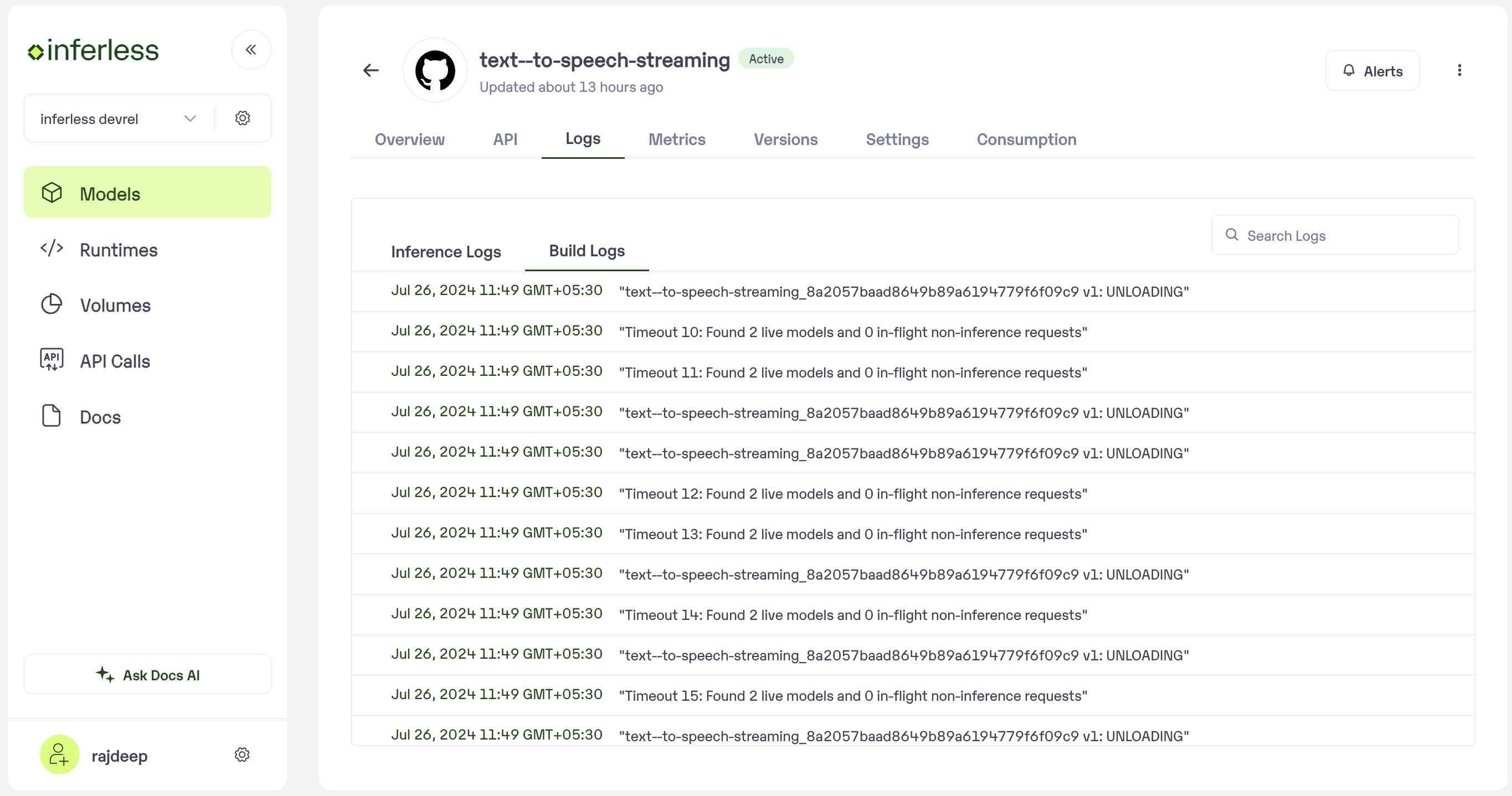 * You can now view the build logs that are generated. The logs would be available only for the last build (Success or failure).